


Gemini Omni is Google's most ambitious AI release yet — a single unified model that generates text, images, and video from one prompt. Knowing the tool exists is only half the battle. The quality of your output depends almost entirely on the quality of your Gemini Omni prompts. This guide gives you the exact formula and ready-to-use prompts across every output type.
What Is Gemini Omni
Announced ahead of Google I/O 2026, Gemini Omni replaces the split architecture Google previously used — separate models for images, video, and text. Now one model handles everything natively.
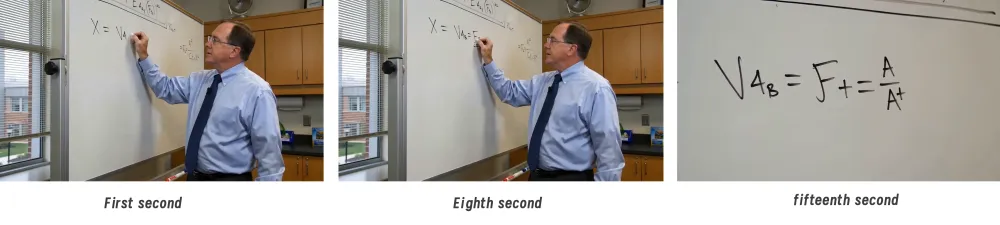
Early leaked demos show Omni rendering mathematically accurate equations on a chalkboard, generating cinematic multi-character scenes, and producing smooth camera-motion video — all from plain text prompts. What sets it apart is exceptional prompt adherence, including text inside video frames, which has historically been the biggest weakness across all AI video models.
The Formula for Strong Gemini Omni Prompts
Before jumping into examples, understand the five-part structure that makes Gemini Omni prompts perform consistently. According to Google's official prompt design guide, specificity is the single biggest lever you can pull.
Subject → Context → Style → Mood → Format. Subject tells the model who or what appears. Context anchors the scene in place and time. Style defines the visual language. Mood sets the emotional register. Format specifies the output type — text, image, or video length. Use all five and your outputs stop looking generated and start looking directed.
Best Gemini Omni Prompts for Text
Long-form Content Brief
Prompt: "Write a 1,200-word article about the future of remote work in 2030. Tone: authoritative but conversational, written for a business audience. Include three subheadings, one data point per section, and end with a clear CTA."
“Excerpt:
Start auditing your 2027-2030 real estate and technology roadmap today. Transition your focus from tracking hours to measuring impact, and ensure your "digital headquarters" is as robust as your physical one.
[Click here to download our "2030 Workplace Readiness Blueprint" and lead the transition.]”
Marketing Copy Variations
Prompt: "Write three variations of a product launch headline for an AI-powered fitness app targeting Gen Z. Each headline should be under 10 words, high-energy, and focus on a different benefit: personalization, speed, and motivation."
Personalization: Your goals, your vibe, 100% AI-tailored for you.
Speed: Pro-level workouts optimized for your busiest days.
Motivation: The ultimate AI hype-man for your daily gains.
Competitive Analysis
Prompt: "Analyze the competitive landscape of AI image generation tools in 2026. Structure: Overview (2 sentences), Top 3 players with one differentiator each, Key trend, and Outlook. Plain language, no jargon."
In 2026, AI image generation has evolved from a "toy" into a professional productivity engine focused on precision and commercial utility.
Top 3 Tools:
OpenAI (GPT Image 2): Best for conversational editing; adjusts specific details via simple chat commands.
Midjourney (v7): The leader in artistic aesthetic; unmatched in cinematic lighting and creative composition.
Google (Nano Banana 2): Dominates text rendering; generates flawless typography integrated with business workflows.
Key Trend: "Authentic Realism"—moving away from waxy, "perfect" AI looks toward raw, textured, and realistic phone-style photography.
Outlook: Total Consistency—the ability to keep characters identical across images and videos will revolutionize low-cost ad and film production.
Best Gemini Omni Prompts for Images
For image generation, always open with "Generate an image of" or "Create an image of" — Gemini Omni defaults to text output unless you make the format explicit. If you want to run the same prompt across multiple AI image generators side by side, iMini AI lets you compare results from different models in one canvas instantly.
Product Visualization
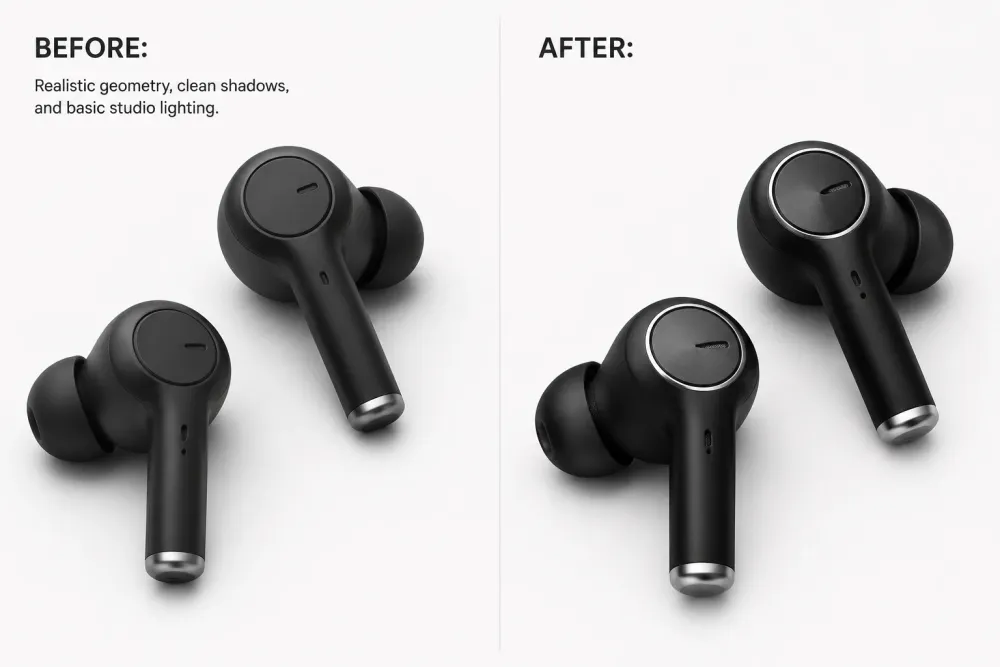
Prompt: "Generate an image of a premium wireless headphone product shot. White background, soft shadows, 45-degree top-down angle, studio lighting. Style: Apple product photography. Avoid: dark backgrounds, harsh shadows."
Scene Illustration
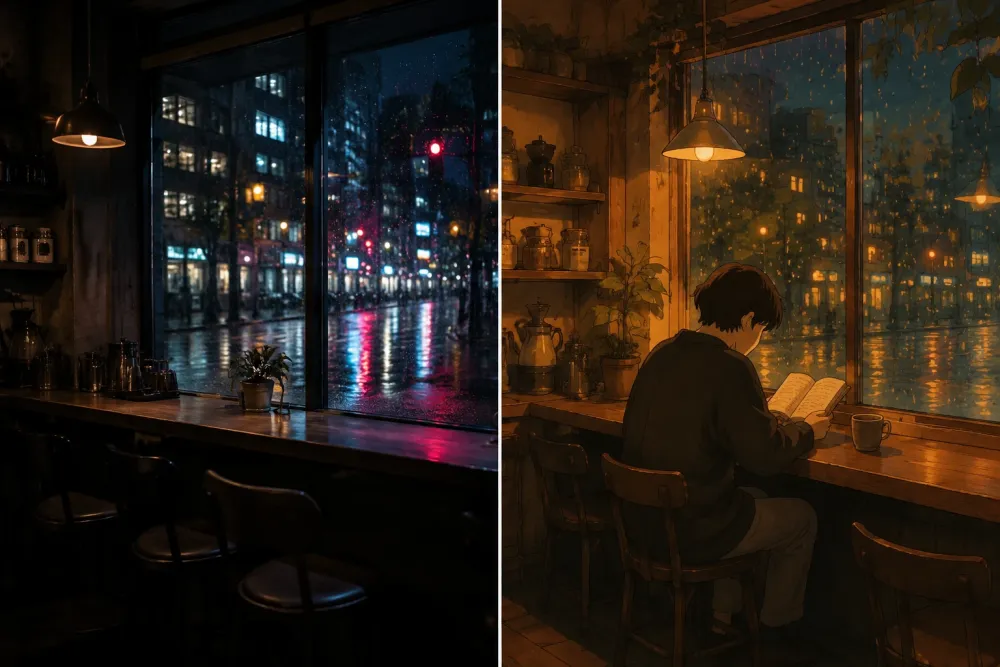
Prompt: "Create an image of a cozy Tokyo coffee shop at night. Rain-wet street visible through the window, warm amber interior light, a single customer reading at the counter. Style: Studio Ghibli meets Lo-fi aesthetic. Mood: quiet, rainy-night calm."
SaaS Brand Asset
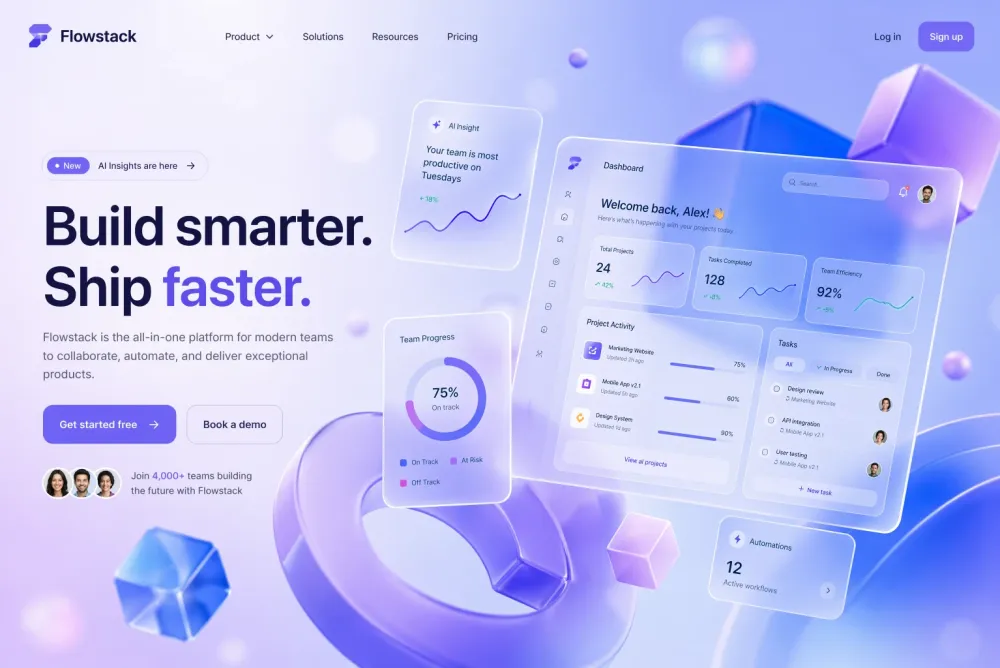
Prompt: "Generate a hero image for a SaaS landing page. Abstract 3D shapes in purple and blue, glassmorphism UI cards floating in space, soft bokeh background. Style: modern tech brand, Figma Community aesthetic. Resolution: 1920x1080."
Best Gemini Omni Prompts for Video
Cinematic Scene
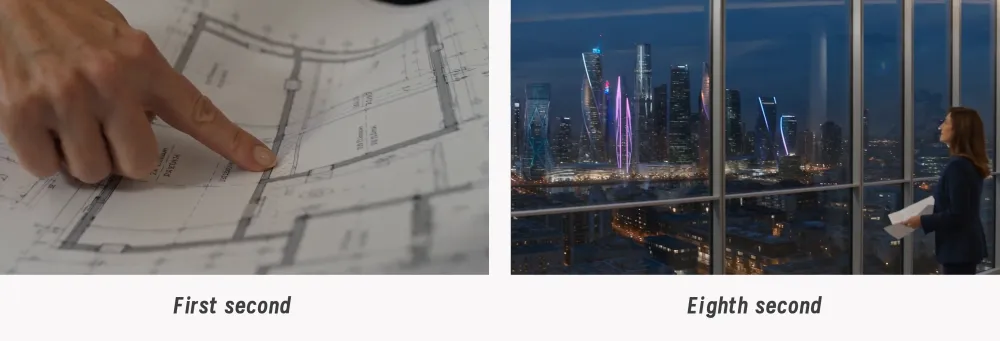
Prompt: "Generate a 10-second cinematic video. A female architect in her 40s stands at floor-to-ceiling windows of a high-rise overlooking a futuristic city at dusk. She traces a finger along a blueprint. Camera: slow zoom out, anamorphic lens flare. Mood: contemplative, ambitious."
Educational Explainer
Prompt: "Generate a 15-second explainer video. A professor writes the quadratic formula on a white chalkboard while narrating each step aloud. Legible handwriting, classroom overhead lighting. Style: clean educational content, documentary aesthetic."
Social Media Ad
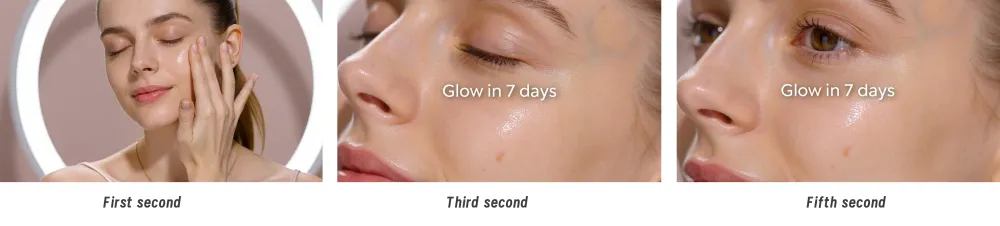
Prompt: "Generate a 6-second vertical video ad for a skincare brand. Close-up: model applies serum, skin visibly glows under soft ring light. 9:16 ratio. Text overlay: Glow in 7 days. Typography: clean sans-serif in white. Style: premium beauty brand, Instagram Reels aesthetic."
What Comes Next
Gemini Omni changes what is possible with a single text prompt. But getting the most out of it means developing a prompting practice — not just copying templates. Start with the Subject-Context-Style-Mood-Format formula, use these prompts as your baseline, and build from there through iteration.
For a workspace that puts multiple AI models side by side — image generators, video tools, and multimodal workflows — iMini AI is worth exploring. One canvas, every leading model, no tab-switching required.