


Nano Banana Proを建築デザインに活用する方法
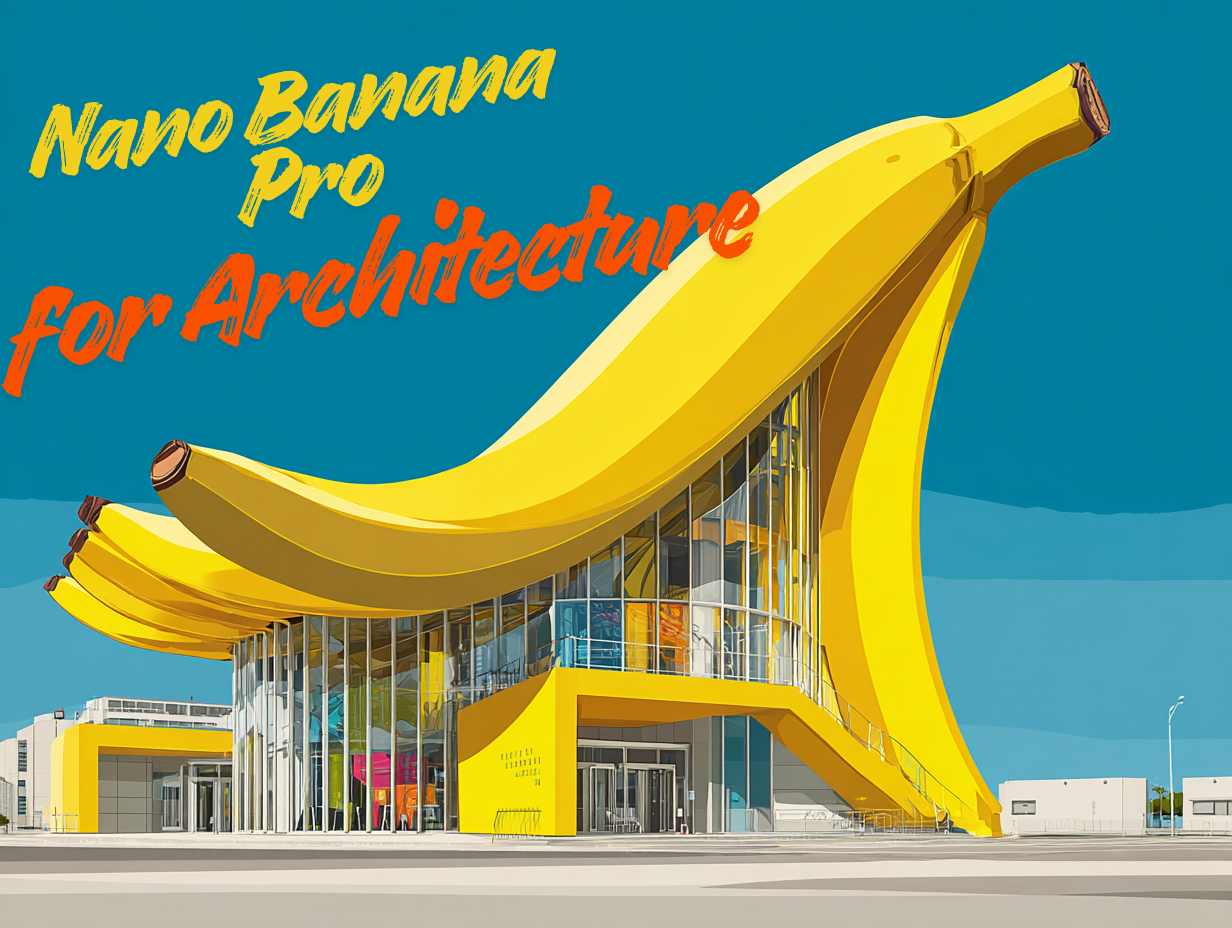
建築家やデザイナーにとって、視覚的なコミュニケーションは常に非常に重要です。iMini AI内でNano Banana Proがリリースされたことで、建築家やインテリアデザイナーに大きなメリットをもたらすことがわかりました。このモデルは、コンテキスト情報、空間レイアウト、構造的ロジック、さらには埋め込みテキストを理解する能力が著しく向上しており、設計のプロフェッショナルの働き方により適合しています。
これらの強化された推論と視覚化スキルにより、Nano Banana Proは2Dの平面図、スケッチ、または参照画像を信頼性の高い3Dスタイルのビジュアルに効率的に変換できます。この記事では、Nano Banana Proが建築家やデザイナーにもたらすメリットを詳しく探ります。
Nano Banana Proは建築家にどのようなメリットをもたらすか?
コンセプトスケッチから詳細な施工書類まで、建築の実践は常に強力な視覚的コミュニケーションに依存してきました。手描き、CAD/BIMモデル、物理的なモックアップ、高品質なレンダリングソフトウェアなど、建築家はアイデアを探求し、空間的な問題を解決し、設計を明確に提示するためにビジュアルに頼っています。
ビジュアルは通常、新しいアイデアを探求し、コンセプトを提示し、問題を解決するための基盤です。Nano Banana Proは、すべての建築家とインテリアデザイナーにメリットをもたらします。
1. 正確な設計出力のための高度な推論:Nano Banana Proはレイアウト、ジオメトリ、空間コンテキストの理解が大幅に向上しており、建築平面図、立面スケッチ、参照画像を正確に解釈できます。
2. 多画像融合:Nano Banana Proは多画像融合に対応しており、建築家やデザイナーは平面図、ファサードスケッチ、マテリアルボード、現場写真など複数の入力を使用できます。Nano Banana Proはこれらの入力を組み合わせて、まとまりのあるビジュアルを生成します。
3. 一貫したスタイル制御:Nano Banana Proは異なる画像間で一貫した照明、カラーパレット、建築スタイルを維持する優れた制御能力を持っています。
4. 高解像度レンダリング:Nano Banana Proは最大4K出力に対応しており、クライアントプレゼンテーション、マーケティング資料、内部デザインレビューに活用できます。
Nano Banana Proを建築設計に使用する方法
以下は、Nano Banana Proを建築設計に使用するためのステップバイステップガイドです。
1. 強力な建築プロンプトから始める
明確で詳細なプロンプトはより良い建築結果をもたらします。ファサード、マッシング、カンティレバー、アトリウム、クラッディングなどの建築用語を使用してください。プロンプトには以下の要素を含めてください:
- 建物のタイプ
- スタイル
- 素材
- 照明
- 環境
- リアリズムのレベル
2. 変換のために平面図やスケッチをアップロードする
Nano Banana Proの推論能力により、2D平面図、断面図、立面スケッチ、現場参照図など、スケッチを解釈できます。この能力により、実際の空間階層(部屋のつながり、動線、窓の配置など)を尊重した画像を生成できます。Nano Banana Proを使えば、手描きを数秒でコンセプト3Dビジュアルに変換できます。
3. 多画像融合のために異なる構図をアップロードする
建築家はしばしば複数の入力を扱います。Nano Banana Proにより、建築家は異なる構図をアップロードし、一貫したジオメトリとデザインロジックを持つまとまりのあるビジュアルに融合できます。
4. 多角度の建築ビューを生成する
完全なコンセプトセットを構築するために、正面立面、背面ファサード、側面図、鳥瞰透視図、近距離マテリアル詳細、室内透視図など、多角度の建築ビューを作成してください。これにより、プレゼンテーションやデザインレビューに適した完全な建築視覚化パッケージを組み立てることができます。
5. Nano Banana Proで室内ビジュアライゼーションを行う
Nano Banana Proは、部屋のタイプ、マテリアル仕上げ、天井と照明、カメラアングル、全体的な部屋の雰囲気など、インテリアビジュアライゼーションの変更にも役立ちます。Nano Banana Proはレイアウトの比率をリアルに保てます。
Nano Banana Pro 建築プロンプト集
スケッチから3Dビジュアライゼーションへ
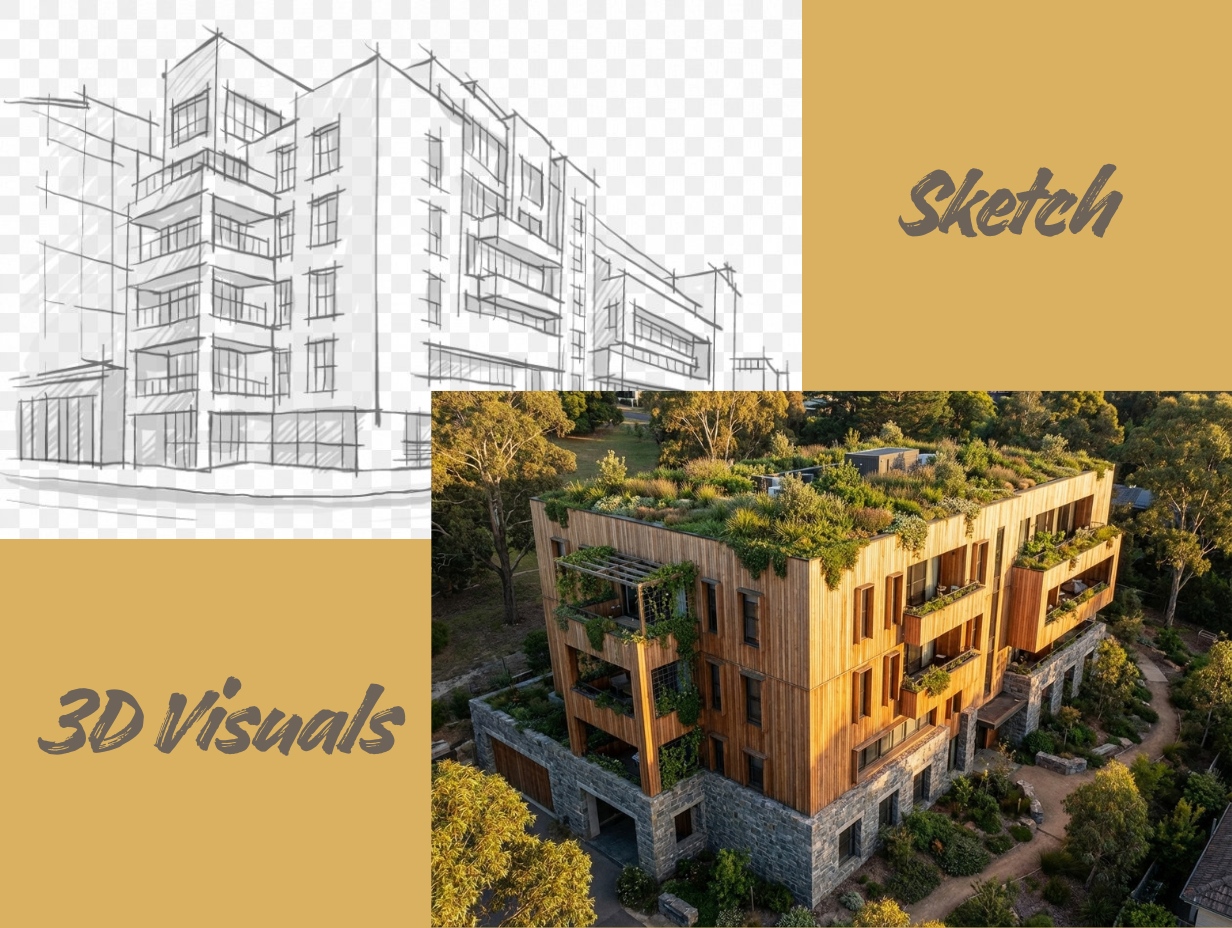
Nano Banana Proを使えば、粗い手描きスケッチをきれいでリアルな3Dビジュアルに変換できます。以下のプロンプトを使用して正確なコンセプトレンダーを生成してください。
Architecture Prompt for Sketch to 3D Visualization: Transform the sketch into a Hyper-realistic Visualization showing biophilic design. The main material palette is warm, natural timber slats (cedar) and heavy grey stone base walls. The flat roof is covered entirely in lush greenery (a green roof). Lighting is Golden Hour sunset, making the wood glow softly. The camera perspective is a medium-height drone view, showing the building nestled harmoniously within a natural, slightly sloping terrain.
2D平面図から3Dバージョンへ
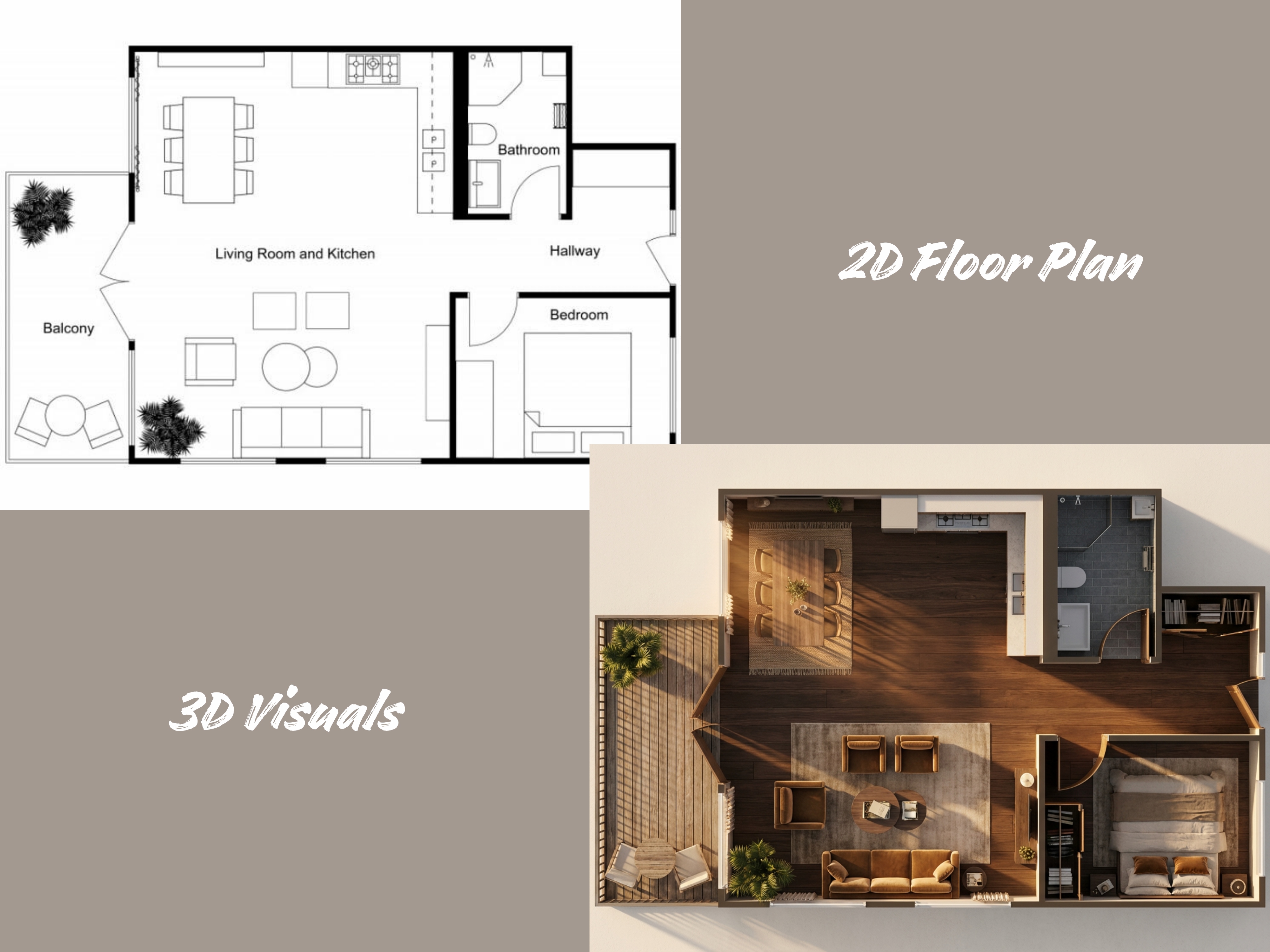
Nano Banana Proは、平面的な2D平面図をリアルな3Dビジュアライゼーションに変換するのを非常に簡単にします。平面図をアップロードし、明確な建築プロンプトを使用するだけで正確な出力が得られます。
Architecture Prompt for 2D Floor Plan to 3D Version: Generate a Top-down 3D Visualization of the floor plan with a rich, inviting interior design magazine aesthetic. The flooring is dark walnut engineered timber with fine grain. The exterior deck uses weathered teak wood. Bathrooms are clad in textured slate-grey subway tiles. Render the 3D furniture with soft textiles (e.g., linen, velvet) and detailed accessories (e.g., plants, books, area rugs). The scene is set against an off-white plaster background. Lighting must simulate golden hour filtering through windows, creating warm, volumetric light rays and long, atmospheric shadows that highlight the coziness of the space.
CAD 2Dイラスト
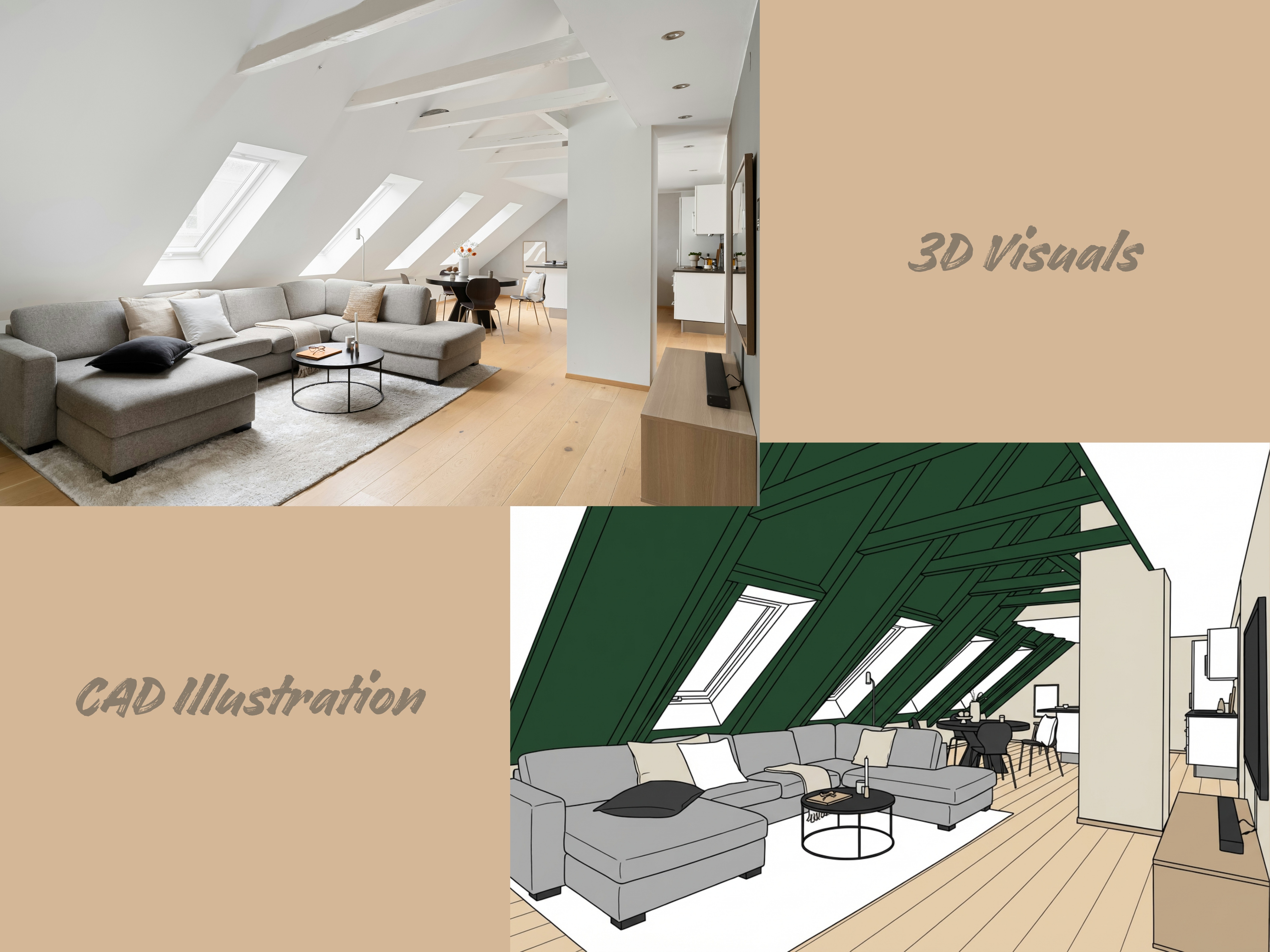
Nano Banana Proを使えば、CADベースの2Dイラストを強化、解釈、またはよりリッチなビジュアル出力に変換できます。以下のプロンプトをお試しください。
Architecture Prompt for CAD 2D Illustrations: Render a High-Contrast Elevation Drawing from the source image in a clean CAD style. Use distinct block colors to fill major exterior and interior surface areas (e.g., a light beige for the walls, deep forest green for the roof, and a pale wood tone for the visible floor). All interior furniture and fixtures must be meticulously drawn using sharp, consistent black linework. The overall rendering should maintain the appearance of a structurally accurate section/elevation, presented on a stark white canvas with no shadow or gradient. Style: Technical illustration, solid block rendering, design presentation.
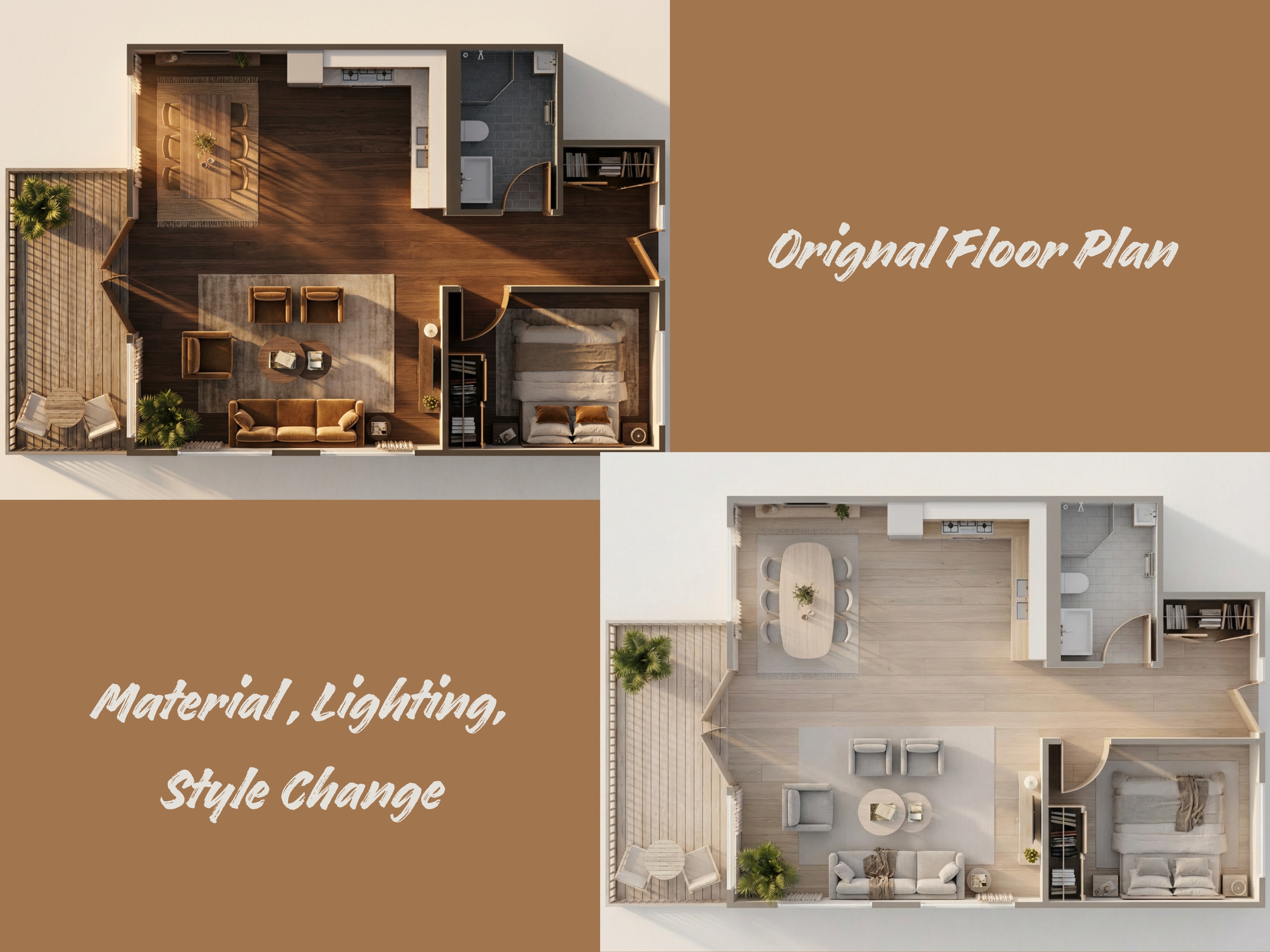
マテリアルとスタイルの変更
Nano Banana Proは、すべてのインテリアデザイナーが部屋のデザインのマテリアル、スタイル、照明を変更するのに効率的に役立ちます。
Architecture Prompt for Material and Style Change: Transform this 3D floor plan into a Scandinavian Minimalist style. Change the flooring to light bleached oak wide-planks and the walls to matte warm white. Furniture should be organic, rounded, and upholstered in light grey linen. Lighting must be soft, diffused, bright daylight (overcast sky) creating an ambient, shadow-free environment. The overall aesthetic is clean, airy, and hygge.
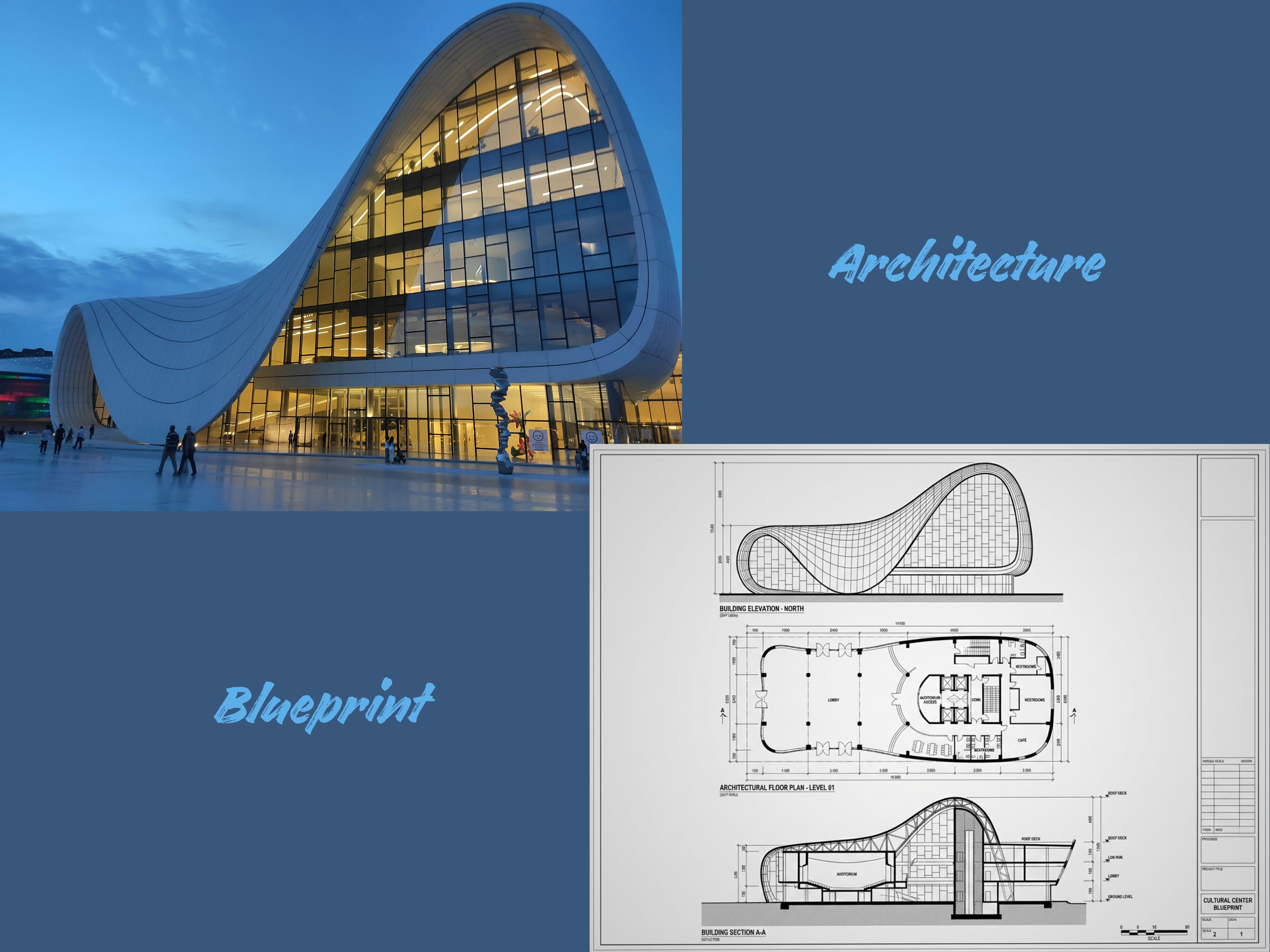
建築からブループリントへ
Nano Banana Proは、完全にビジュアル化された建築コンセプトをきれいで構造化されたブループリントスタイルの図面に変換するのに役立ちます。3Dレンダー、手描きスケッチ、コンセプトマッシング画像から始めても、モデルはデザインをテクニカルな2Dブループリントとして再解釈できます。
Architecture Prompt for Architecture to Blueprint: Generate a High-Fidelity Orthographic Blueprint set that describes the provided building. The set must include three distinct drawings: Architectural Floor Plan, Building Section, and Building Elevation. Use strict, professional CAD linework with variable line weights: thick lines for cut elements (walls/ground) and thin lines for projected elements (doors/furniture). Label all major spaces and dimensions.
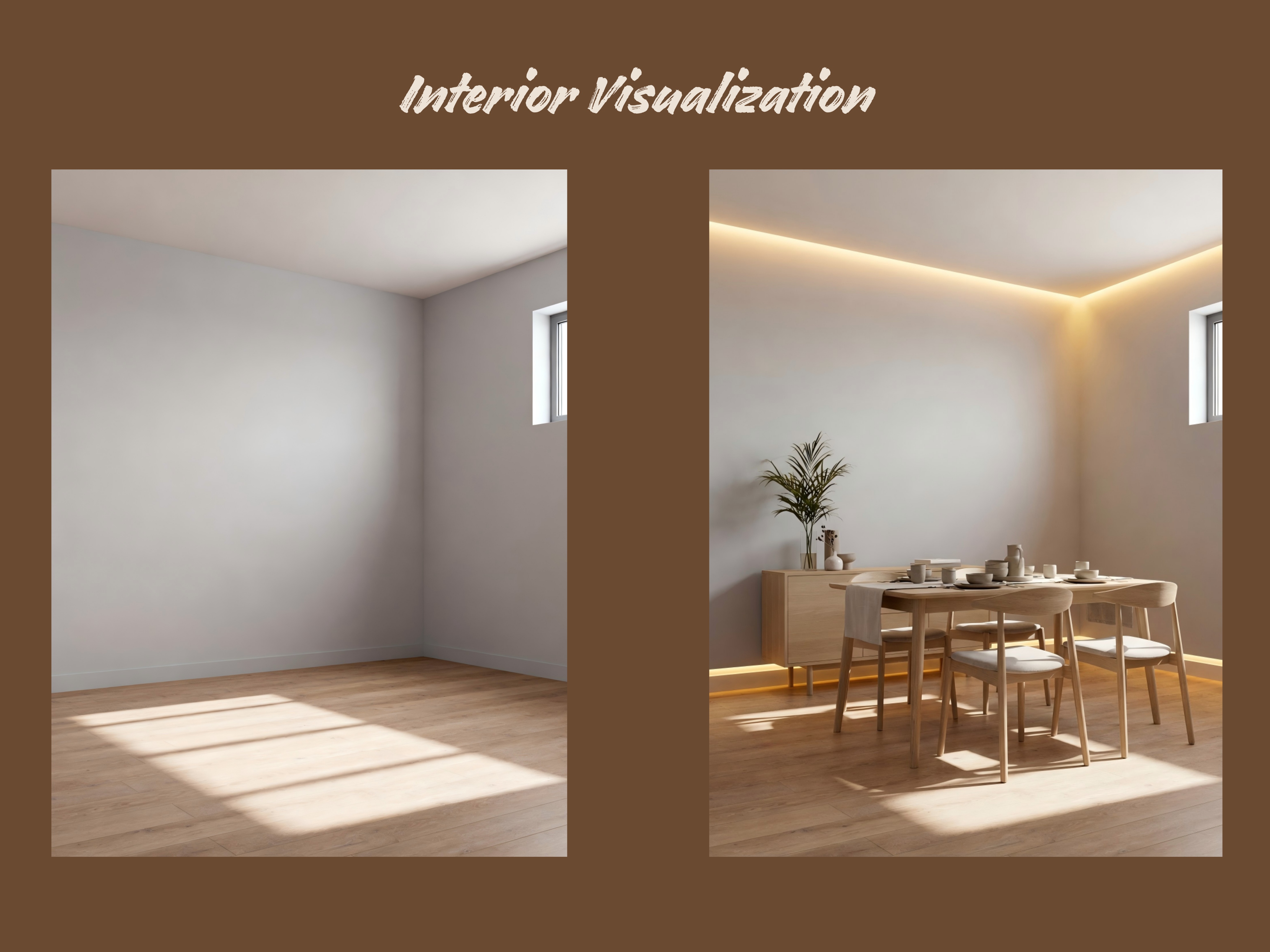
インテリアビジュアライゼーション
Architecture Prompt for Interior Visualization: Enhance the indoor photo: add warm embedded lights, Nordic style chairs and dining tables with other furniture, change the floor to light oak.
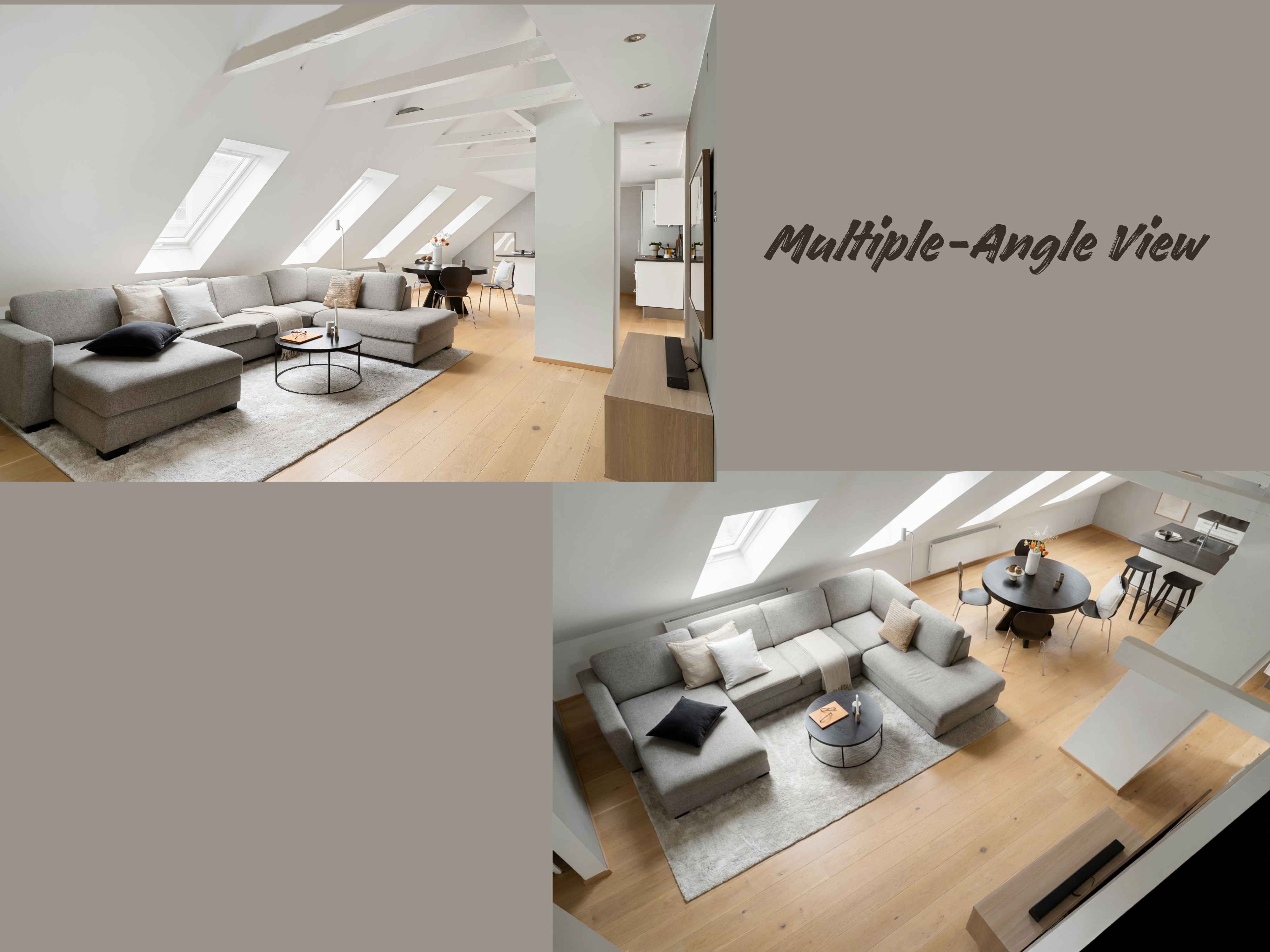
多角度ビュー
Nano Banana Proを使えば、異なるデザインを多角度ビューに作成できます。上部レンダリングには以下のプロンプトをお試しください。
Sample AI Prompt for Nano Banana Pro: Generate top renderings for the model to ensure that indoor lighting is consistent with furniture finishes, making it easier for customers to use the presentation board.
楽しいNano Banana Pro建築プロンプト
位置情報ベースの生成
AI Prompt: Generate a realistic building photo from this place. The coordinates: 32.7479°N, 117.1647°W.
冬の建築
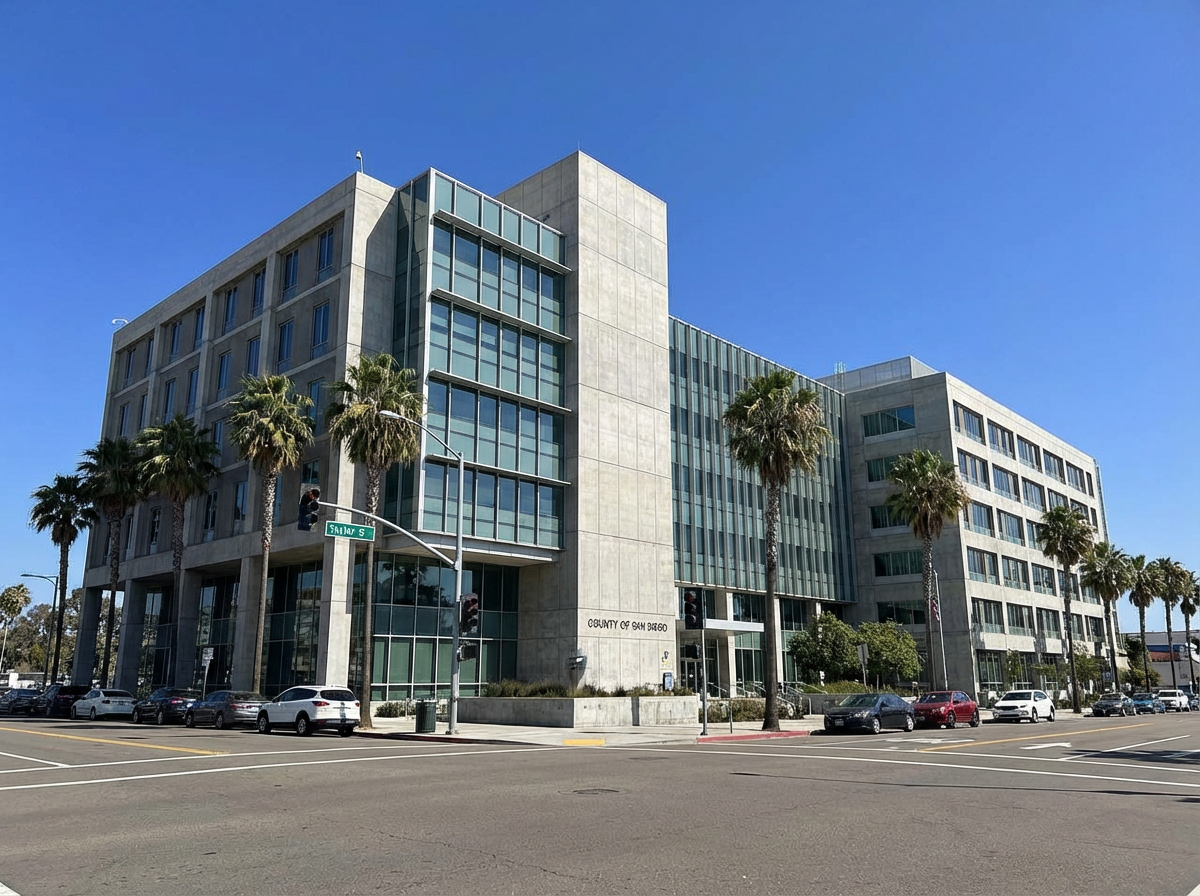
AI Prompt: Keep the architectural structure of the scene unchanged. From top to bottom, the main building is wrapped in fluffy knitwear, appearing extremely adorable. The sweater closely fits the facade structure of the building, featuring vibrant pastel colors, realistic yarn textures, high detail, and rich tactile details.
建築AIステッカー
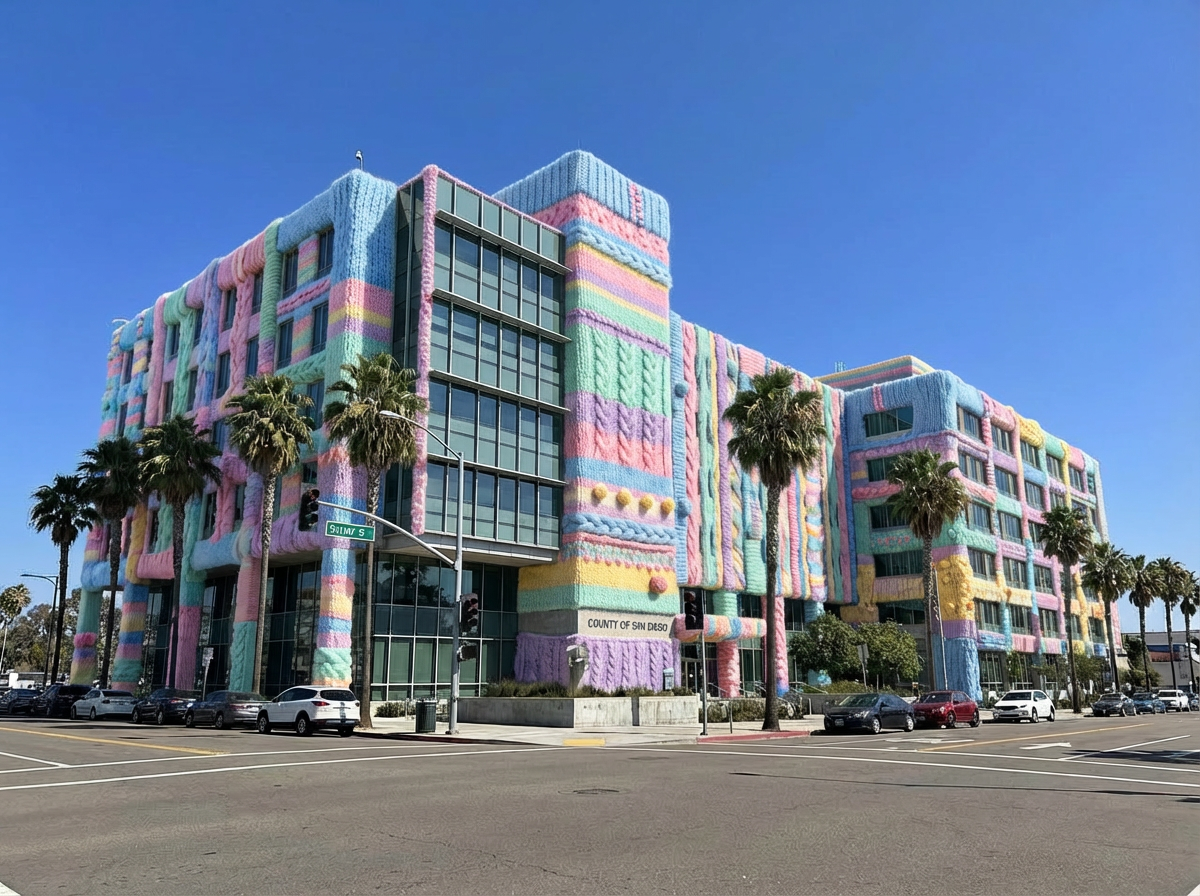
AI Prompt: Transform the architecture to vector sticker, cartoon style, simple lines, flat color, The building as background, black outline, four sides white border, no shadow and background, die-cut sticker design, isolated in pure black background, wide Angle lens, super realistic style. The style is prudence heward, petros afshar, traditional animation.
氷の建築
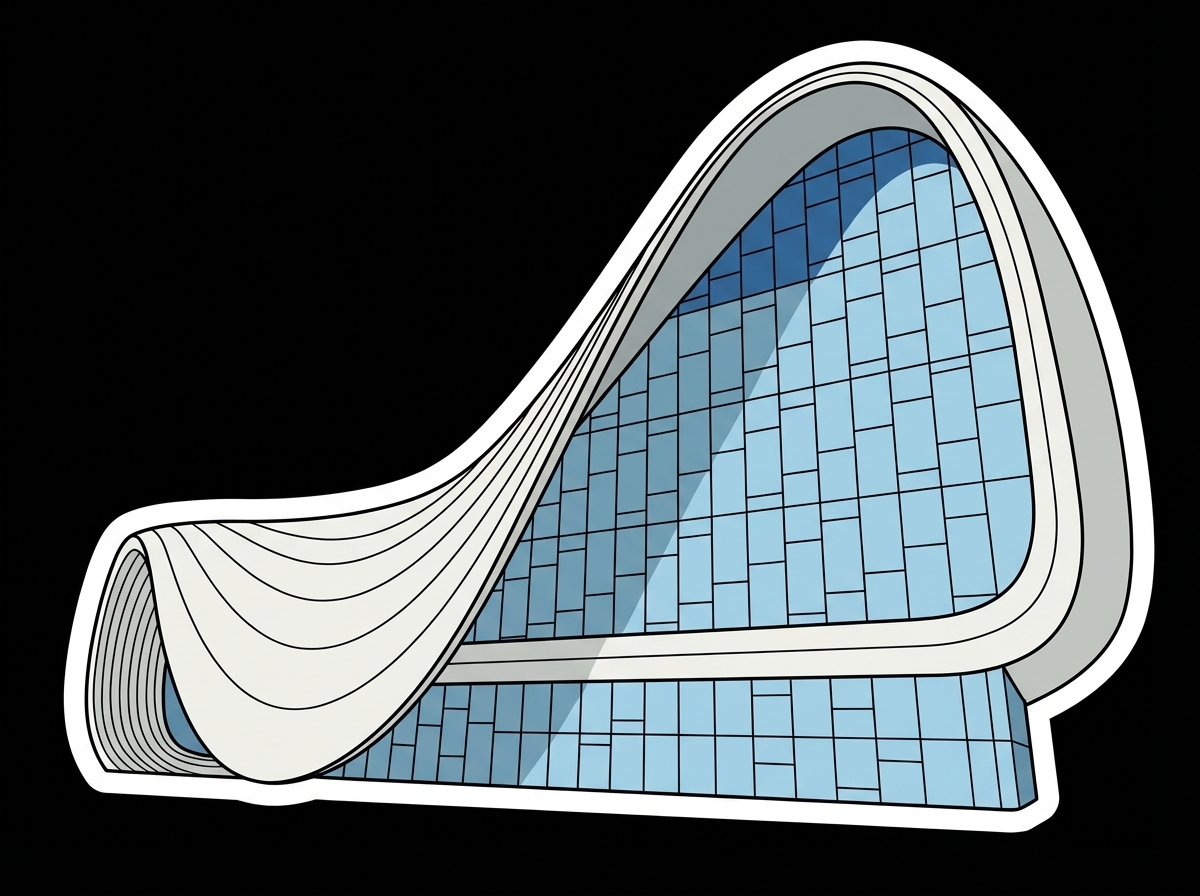
AI Prompt: On the frozen surface of lake, the Effiel Tower is crafted from layers of ice bricks, each block carefully positioned to replicate its famous tilt. The texture of the stacked bricks adds a playful and realistic dimension, radiating whimsy and charm. Around the tower, frozen tourists with icy cameras complete the scene with humor and authenticity. 4:3 ratio.
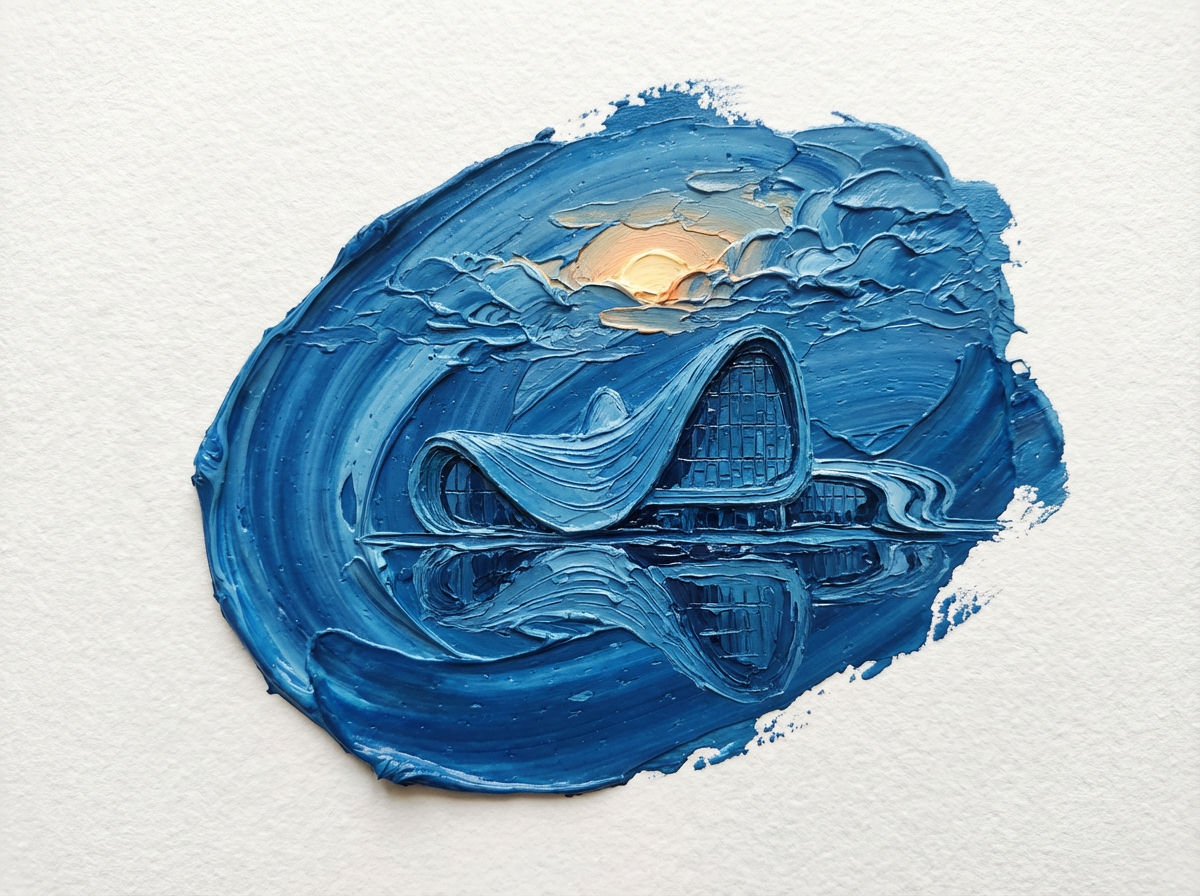
油絵の建築
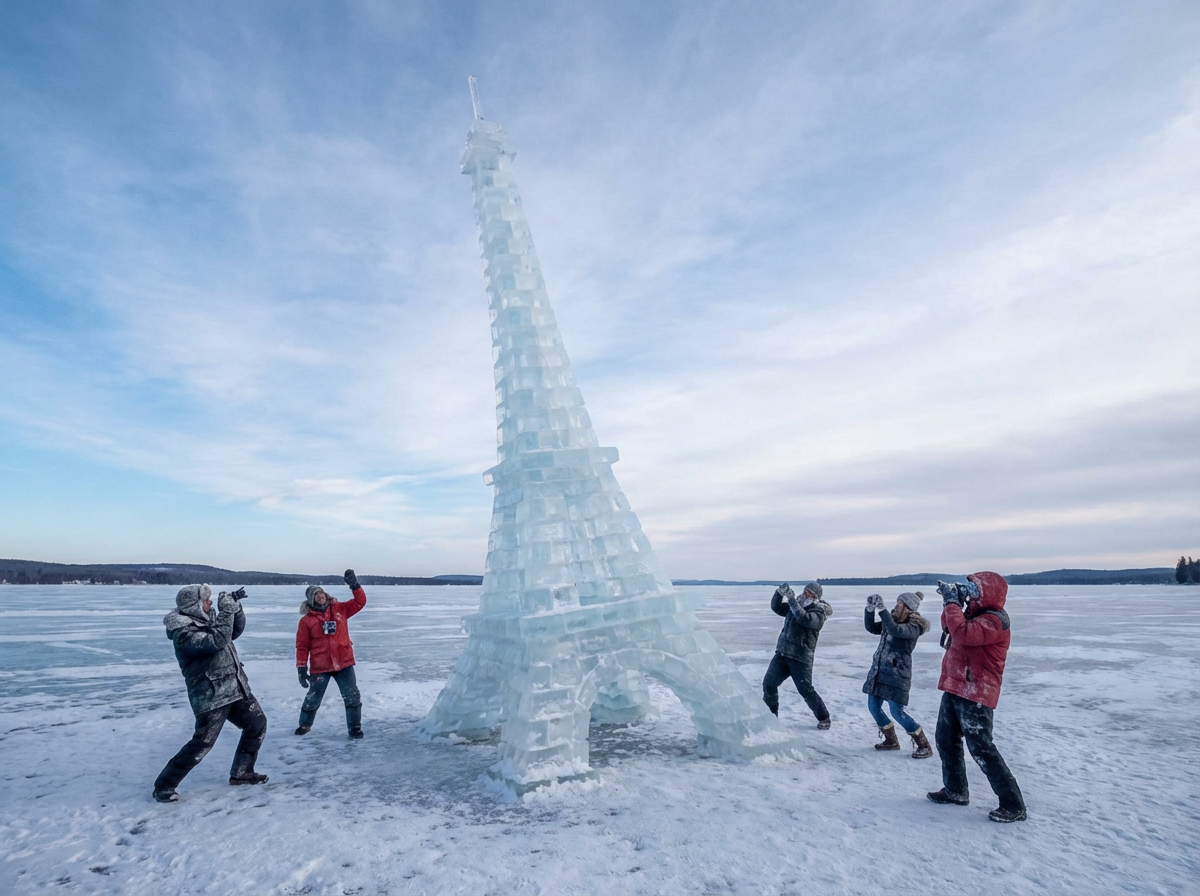
AI Prompt: Oil painting style, 3D micro-landscape, employing an impasto technique to create dimensionality and depth through variations in paint thickness. The composition is centrally tilted, with a focal stroke of blue at the visual center. The blue area depicts the reference architecture, its reflection in water, clouds behind the structure, and the sun rising through the cloud layer. The scene is rendered from a minimalist top-down perspective, featuring extensive negative space on a white textured paper background.
建築家とデザイナーのための実践的なヒント
1. クリーンな参照画像から始める:正しいスケールの平面PDF、マテリアルスウォッチ、初期レンダーは精度を向上させます。
2. プロンプトを明確にする:カメラの高さ、意図する用途、望むムード、解像度を含めてください。
3. Nano Banana Proに正しい情報を与える:Nano Banana Proは思ったほど賢くありません。正確な建築図面やブループリントを得るには、正しい情報を提供する必要があります。
まとめ
Nano Banana Proは幅広いスタイルで建築ビジュアルを生成する力を持っています。その多用途性はプロフェッショナルなワークフローをはるかに超えています。建築家やデザイナーがコンセプト開発やビジュアライゼーションに使用できる一方、誰でも簡単にクリエイティブなアイデアや想像力豊かな建物を探求できます。
楽しく、速く、高度にクリエイティブな建築プロンプトをお探しであれば、iMini AIはNano Banana Pro搭載のワンクリック建築生成機能を提供しています。プロフェッショナルにも一般ユーザーにも、実験し、楽しみ、建築コンセプトを数秒で実現するための完璧な方法です。