


The Ultimate Guide to Nano Banana Pro
Try Nano Banana 2 Pro on iMini AI
You’ll find countless Nano Banana Pro prompts online - but without understanding what Nano Banana actually is, you’re only using a fraction of its power.
By learning how the AI image model works and what it excels at, you can craft smarter prompts, unlock more creative workflows, and get far better results.
This guide breaks down everything you need to know, giving you a solid understand of Nano Banana Pro even if you are completely new to AI.
What is Nano Banana Pro?
Nano Banana, also known as Gemini 2.5 Flash Image, has quickly become popular for its strong abilities in reference-based image editing and 3D figurine creation. Its successor, Nano Banana Pro (Gemini 3 Pro Image), brings a major leap forward. Powered by Gemini 3 Pro, it combines advanced reasoning with real-world knowledge to deliver far more accurate, intelligent, and versatile visual outputs.
With enhanced prompt understanding, improved consistency, and stronger information visualization, Nano Banana Pro can now handle complex creative tasks with greater precision. In the next section, we’ll take a closer look at its standout features to better use it.
Note: If you’re concerned about identifying whether an image is AI-generated, Google has you covered. Every image produced with Nano Banana Pro includes an invisible SynthID digital watermark, ensuring transparent and traceable AI-generated content without affecting visual quality.
5 Key Features of Nano Banana Pro
Nano Banana Pro takes AI image generation to the next level, offering powerful capabilities that benefit creators, marketers, and everyday users alike. Here are five standout features that make it a versatile and indispensable creative assistant:
Perfect Character Consistency
Nano Banana has shown its powerful capabilities in maintaining character consistency, but Nano Banana Pro takes it even further. It can now supports up to 14 input images while reliably maintaining the consistency of up to 5 persons. can now use up to 14 image and the tool can maintain and keep consistency of up to 5 people.
Character consistency is very important for design, storytelling, and image editing - ensuing that characters look the same across multiple scenes, poses, or outputs. With Nano Banana Pro, you never need to repeatedly re-roll images to achieve uniformity, saving time and allowing for more professional creative workflows.
Better Text Rendering
Nano Banana handles short phrases well, but complex text often suffered from misspellings or distortions. Nano Banana Pro has successfully solved this “AI alien language” problem, delivering accurate text rendering even for longer, more intricate phrases. Nano Banana Pro also supports multiple languages, which is an ideal tool for creators and marketers worldwide. From advertising campaigns and poster design to product mockups, Nano Banana Pro ensures every word clearly and professionally.
Next-level Image Quality
Nano Banana has a huge upgrade in image quality. While the original Nano Banana capped at 1K resolution, Nano Banana Pro now supports 2K and up to 4K images, providing stunning details and clarity.
This makes it ideal for social media content, professional printing, marketing materials, and any other high-quality creative project.
Deeper Creative Controls
Nano Banana Pro introduces unprecedented creative control for photo editing and generation. Users can adjust camera angles, modify color and focus, transform lighting, and even apply localized edits within specific areas of a scene.
This advanced function allows you to experiment with multiple artistic directions, fine-tune intricate details, and achieve precise, professional results - making every image fully aligned with your creative vision.
Better Reasoning
With Gemini 3’s advanced reasoning and world knowledge, Nano Banana Pro enables the creation of context-rich infographics, diagrams, and multi-step guides with ease. Even complex prompts are understood intelligently, producing accurate and meaningful outputs.
This enhanced understanding makes Nano Banana Pro valuable across industries such as architecture, education, and marketing, while helping creators reduce trial-and-error attempts and achieve high-quality results more efficiently.
How to Get Access to Nano Banana Pro?
Now that you have already known the powerful functions of Nano Banana Pro, so how to get access to it? There are 3 ways to help you experience Nano Banana Pro.
Gemini Website or APP
For most users, the fastest way is through the Gemini app or the official Gemini website. Simply sign in with your Google account to access Nano Banana Pro.
- Free users receive three Pro image generations per day.
- To unlock more usage for professional work, upgrade to a Google AI Pro or Ultra plan.
Google AI Studio
If you want to integrate Nano Banana Pro into your own apps or workflows, head to Google AI Studio.
- Sign in to your account and select Nano Banana Pro from the model picker.
- With billing enabled, you can create full workflows and projects using the API.
Third‑Party Platforms
Some third-party tools also offer access to Nano Banana Pro—often with free trial credits. iMini AI, for example, is an all-in-one image and video creation platform that integrates most popular AI models. If you regularly switch between different AI tools, platforms like this can help streamline and speed up your workflow.
How to Correctly Use Nano Banana Pro? Beginners’ Guide
Nano Banana Pro is a powerful AI image generation tool, but using it effectively requires understanding of workflow if you are beginner. Here’s a step-by-step guide:
Start With a Clear Prompt
- Be specific about what you want: objects, scenes, styles, mood, composition, and details.
- Nano Banana Pro can handle complex prompts, so don’t hesitate to provide multi-step instructions.
Upload Reference Image (Optional)
- To get the best results, upload the reference image and it can help maintain consistency, colors, and proportions.
- You can use up to 14 images to guide the AI.
Adjust Settings
- Modify camera angles, lighting, color, focus, and localized elements.
- Explore different creative adjustment for the desired effect.
Leverage Text and Context Features
- Include signage, labels, or instructions in your AI prompts.
- Use the AI’s reasoning ability for infographics, diagrams, and multi-step visuals.
Check Consistency and Refine
Review outputs for character consistency, style, and accuracy, then refine it for the best output.
Nano Banana Pro Prompt Examples
Below is a curated collection of production-ready prompt templates, covering everything from viral social media trends to high-end commercial photography workflows. In our trials, Nano Banana Pro consistently delivered accurate results - often on the first or second attempt - representing a significant improvement in speed and reliability compared with earlier models.
Multi-Scene Character Consistency
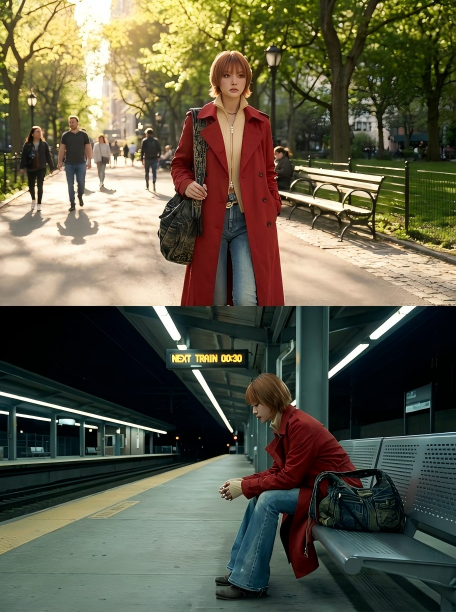
Prompt 1: “Task: Generate two distinct images of this subject. Image A: The subject is walking through a sunlit city park. Image B: The exact same subject is sitting alone in a dimly lit train station at night. Constraint: Facial features, hair, and clothing (a red trench coat) must remain 100% consistent across both images.”

Text Rendering
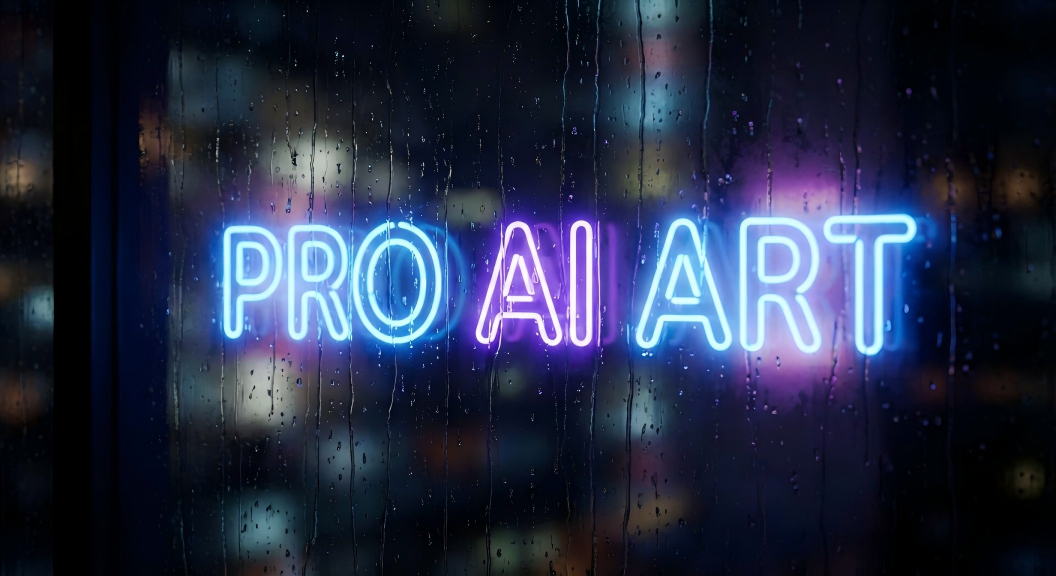
Prompt 2: “Scene: A macro shot of a wet window pane at night. Text: Behind the pane, a bright neon sign must clearly and correctly read “PRO AI ART”. The text should be perfectly legible through the wet glass and have a soft glow around it. Focus on: Fast generation quality.”
Bring Something to Life
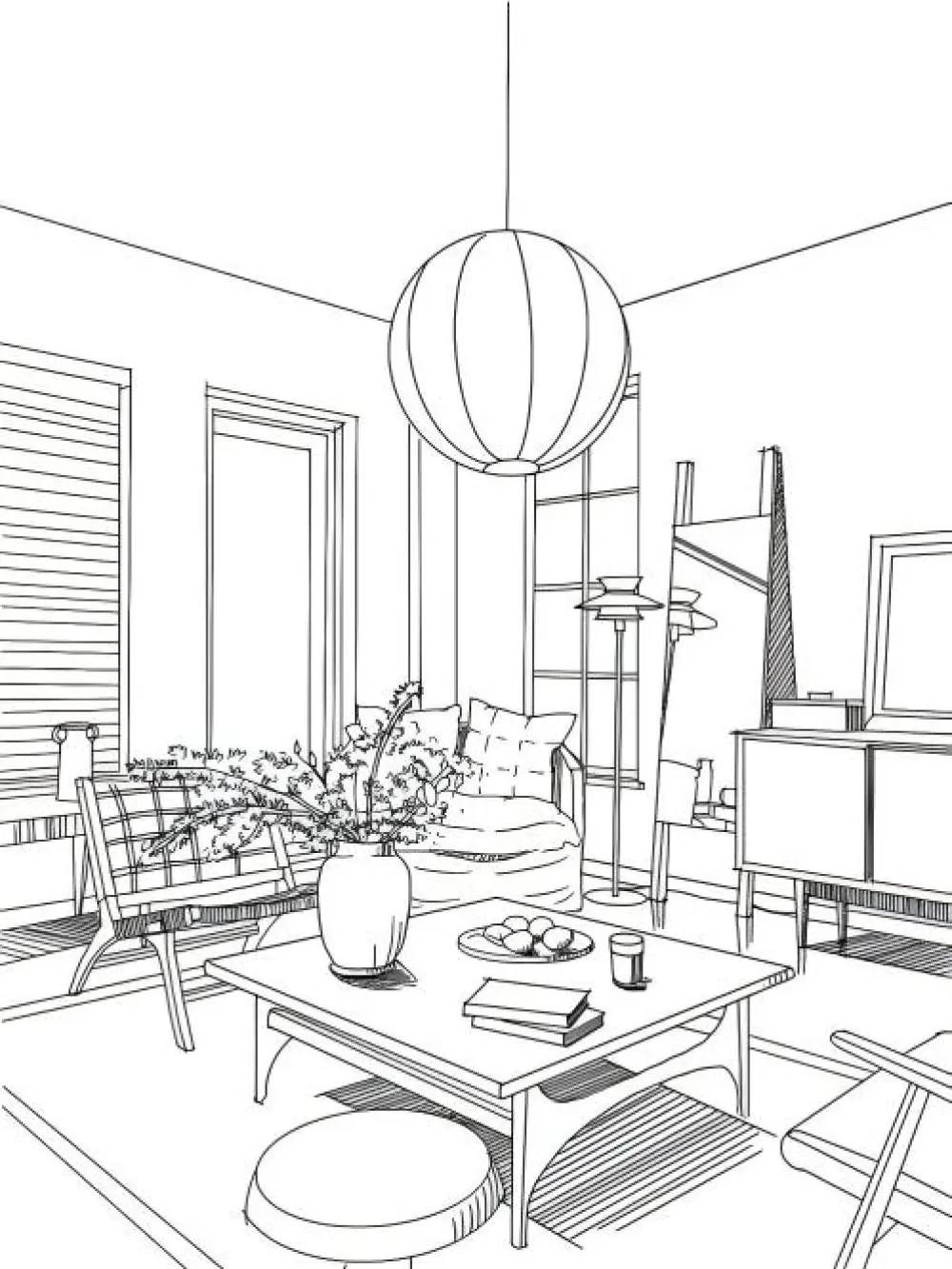
Prompt 3: “Task: Convert this sketch into a photorealistic interior render. Style: ‘Japandi’ style. Materials: Light wood, creamy texture. Lighting: Warm ‘Golden Hour’ light filtering through sheer curtains. I2I Strength: 0.75.”

Aspect Ratio
Prompt 4: “Aspect Ratio: 21:9 Ultra-Widescreen. Subject: A solitary astronaut standing on a red, barren Mars landscape, looking at the distant Earth. Lighting: Hard sunlight creating sharp, long shadows (professional staging). Atmosphere: Vast, silent, epic scale. Style: Cinematic, photorealistic.”

Your Next Step: Go and Use Nano Banana Pro
Achieving professional output requires mastering NBP’s multi-layered workflow. Explore more possibilities in iMini AI for Nano Banana Pro.