


How to Use Nano Banana PRO for Architecture?
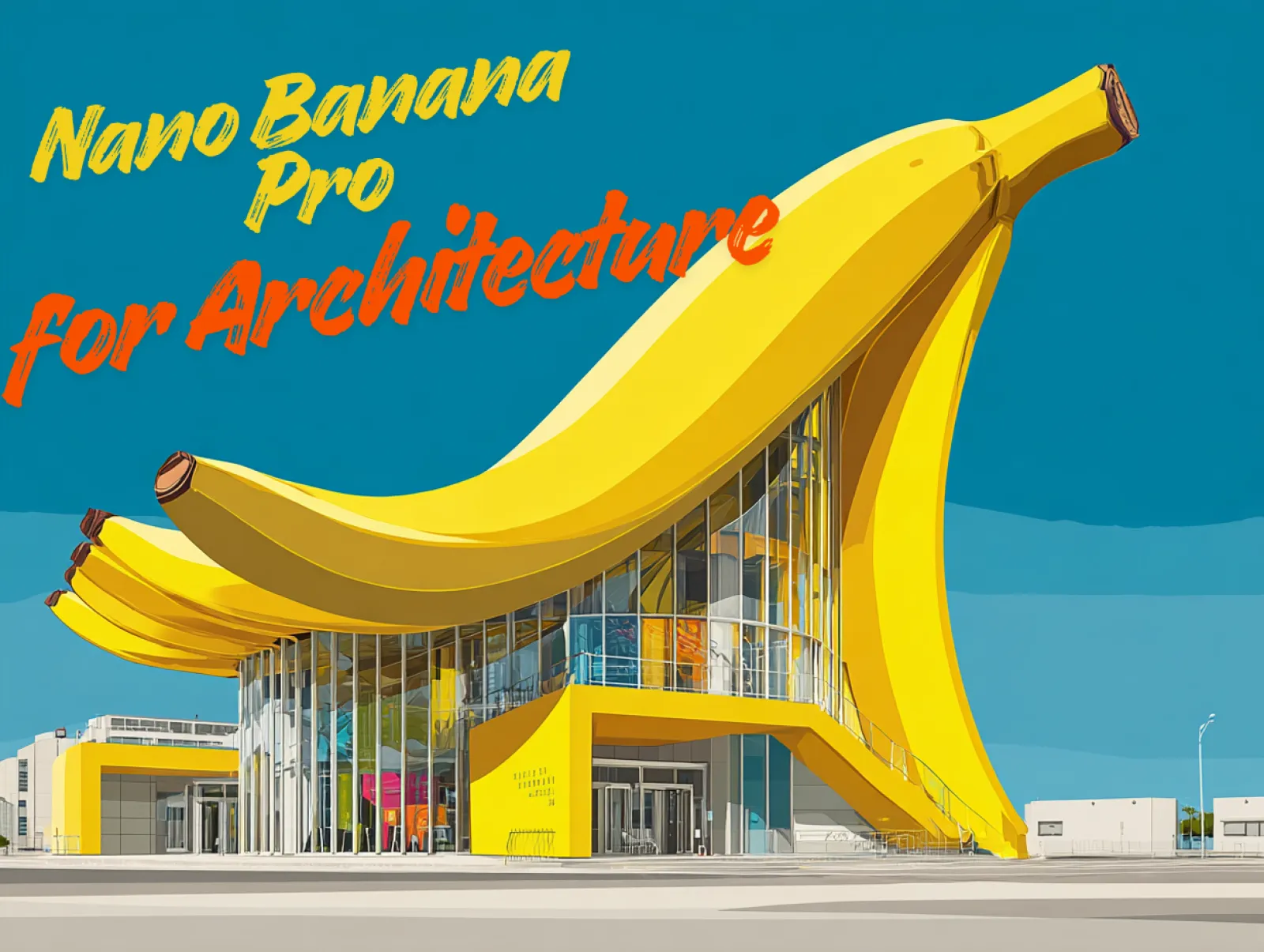
For architects and designers, visual communication has always become very important. With the recent release of Nano Banana Pro inside iMini AI, we discovered that it brings significant advantages for architects and interior designers. The model shows noticeably stronger capabilities in understanding contextual information, spatial layouts, structural logic, and even embedded text - making it far more aligned with the way design professionals work.
Thanks to these enhanced reasoning and visualization skills, Nano Banana Pro can efficiently convert 2D plans, sketches, or reference images into reliable 3D-style visualizations. We'll have a deep exploration of how Nano Banana Pro benefits architects and designers in this article.
How Nano Banana Pro Benefits Architects?
From concept sketches to detailed construction documents, architectural practice has always depended on strong visual communication. Whether through hand drawings, CAD/BIM models, physical mock-ups, or high-end rendering software, architects rely on visuals to explore ideas, solve spatial problems, and present designs with clarity.
Visuals are usually the foundation of exploring new ideas, presenting concepts, and resolving problems. And Nano Banana Pro can benefit every architects and interior designers.
1. Advanced Reasoning for Accurate Design Output: Nano Banana Pro shows significantly improved understanding of layouts, geometry, and spatial context, enabling it to accurately interpret architectural plans, elevation sketches, and reference images.
2. Multi-Image Fusion: Nano Banana Pro allows for multi-image fusions, so architects and designers can work with multiple inputs like floor plans, facade sketches, material boards, and site photos. And then Nano Banana Pro can combine these inputs to produce cohesive visualization.
3. Consistent Style Control: Nano Banana Pro has a good control of maintaining consistent lighting, color palettes, and architectural style across different images.
4. High-resolution Rendering: Nano Banana Pro allows for up to 4K output, allowing for client presentations, marketing materials, and internal design reviews.
How to Use Nano Banana Pro for Architecture?
Below is a step-by-step guide on how to use Nano Banana Pro for architectural design.
1. Start With a Strong Architectural Prompts
A clear, detailed prompt produces better architectural results. Use architectural terms like açade, massing, cantilever, atrium, and cladding. Ensure your prompts include the following part:
- Building Type
- Styles
- Materials
- Lighting
- Environment
- Level of Realism
2. Upload Floor Plans or Sketches for Transformation
Nano Banana Pro's reasoning capabilities allow it to interpret your sketches, including 2D floor plans, section drawings, elevation sketches, and site references. This capability allows you to generate images that respect actual spatial hierarchy - room connections, circulation flow, window placement, and more. You can easily transform your hand-drawn into a concept 3D visuals within seconds with Nano Banana Pro.
3. Upload Different Compositions for Multi-image Fusion
Architects often work with multiple inputs. Nano Banana Pro allows architects to upload different compositions and combine them into a cohesive visuals with consistent geometry and design logic.
4. Generate Multi-angle Architectural Views
To build a complete concept set, create multi-angle architectural views, including front elevation, rear façade, side views, birds-eye perspective, close-up material details, and interior perspective views. This helps you assemble a full architectural visualization package suitable for presentations and design reviews.
5. Use Nano Banana Pro for Interior Visualization
Nano Banana Pro also helps designers change the interior visualization, including room type, material finishes, ceiling and lighting, camera angles, and the overall room mood. Nano Banana Pro can keep layout proportions realistic.
Nano Banana Pro Prompts for Architecture
Sketch to 3D Visualization
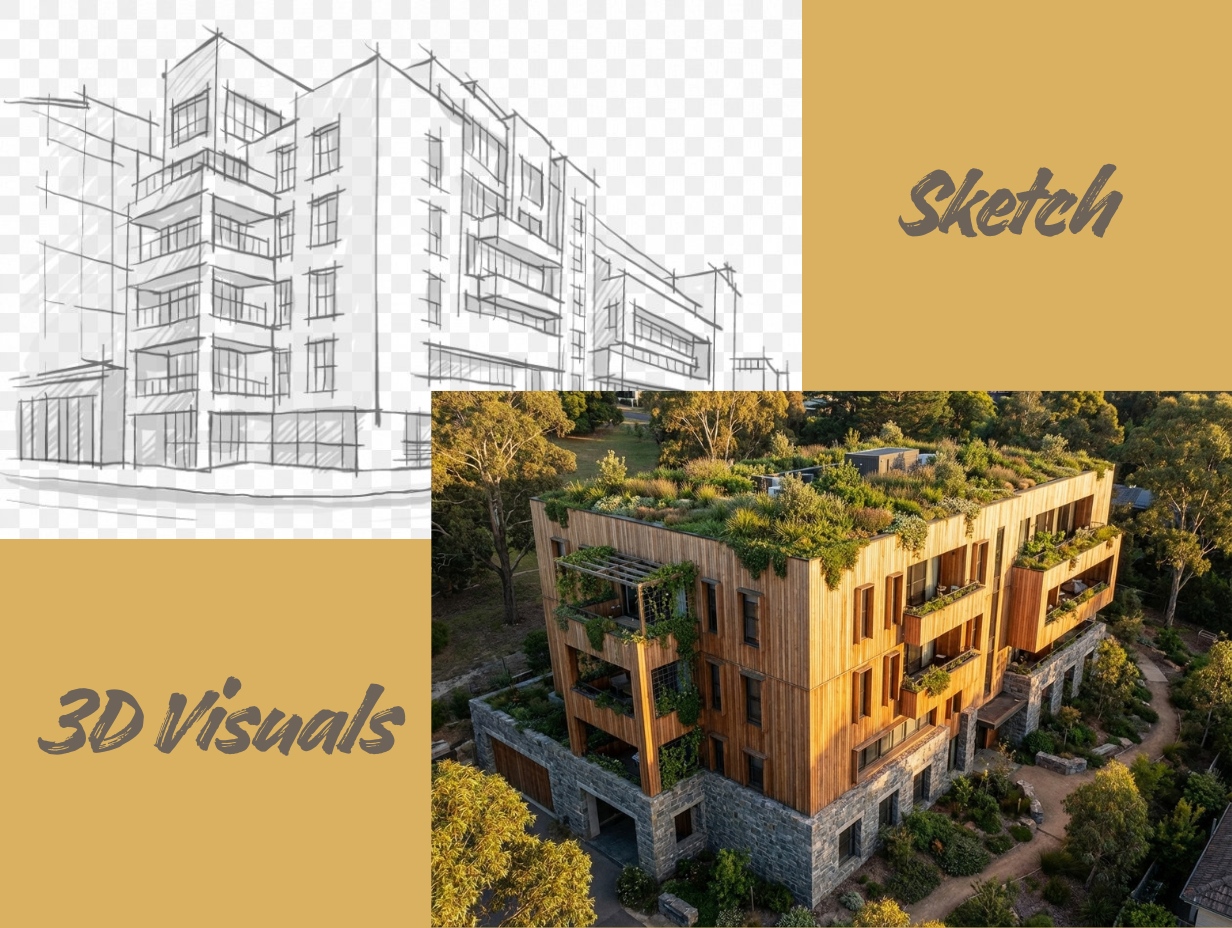
With Nano Banana Pro, you can turn any rough hand-drawn sketch into a clean, realistic 3D visual. Use the following prompt to generate an accurate conceptual render.
Architecture Prompt for Sketch to 3D Visualization: Transform the sketch into a Hyper-realistic Visualization showing biophilic design. The main material palette is warm, natural timber slats (cedar) and heavy grey stone base walls. The flat roof is covered entirely in lush greenery (a green roof). Lighting is Golden Hour sunset, making the wood glow softly. The camera perspective is a medium-height drone view, showing the building nestled harmoniously within a natural, slightly sloping terrain.
2D Floor Plan to 3D Version
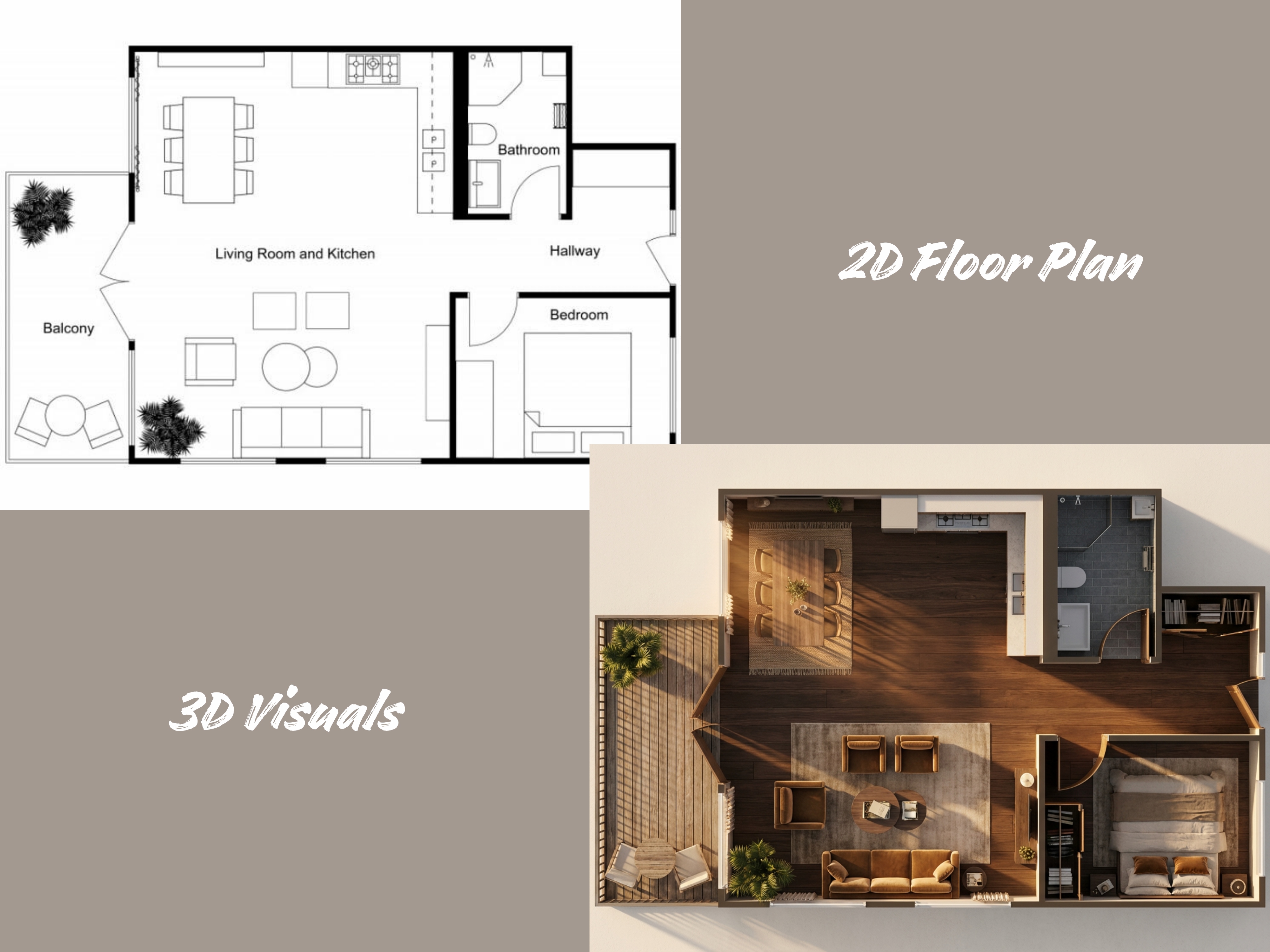
Nano Banana Pro makes it incredibly easy to turn a flat 2D floor plan into a realistic 3D visualization. Simply upload your floor plan and use a clear architectural prompt for accurate outputs.
Architecture Prompt for 2D Floor Plan to 3D Version: Generate a Top-down 3D Visualization of the floor plan with a rich, inviting interior design magazine aesthetic. The flooring is dark walnut engineered timber with fine grain. The exterior deck uses weathered teak wood. Bathrooms are clad in textured slate-grey subway tiles. Render the 3D furniture with soft textiles (e.g., linen, velvet) and detailed accessories (e.g., plants, books, area rugs). The scene is set against an off-white plaster background. Lighting must simulate golden hour filtering through windows, creating warm, volumetric light rays and long, atmospheric shadows that highlight the coziness of the space.
CAD 2D Illustrations
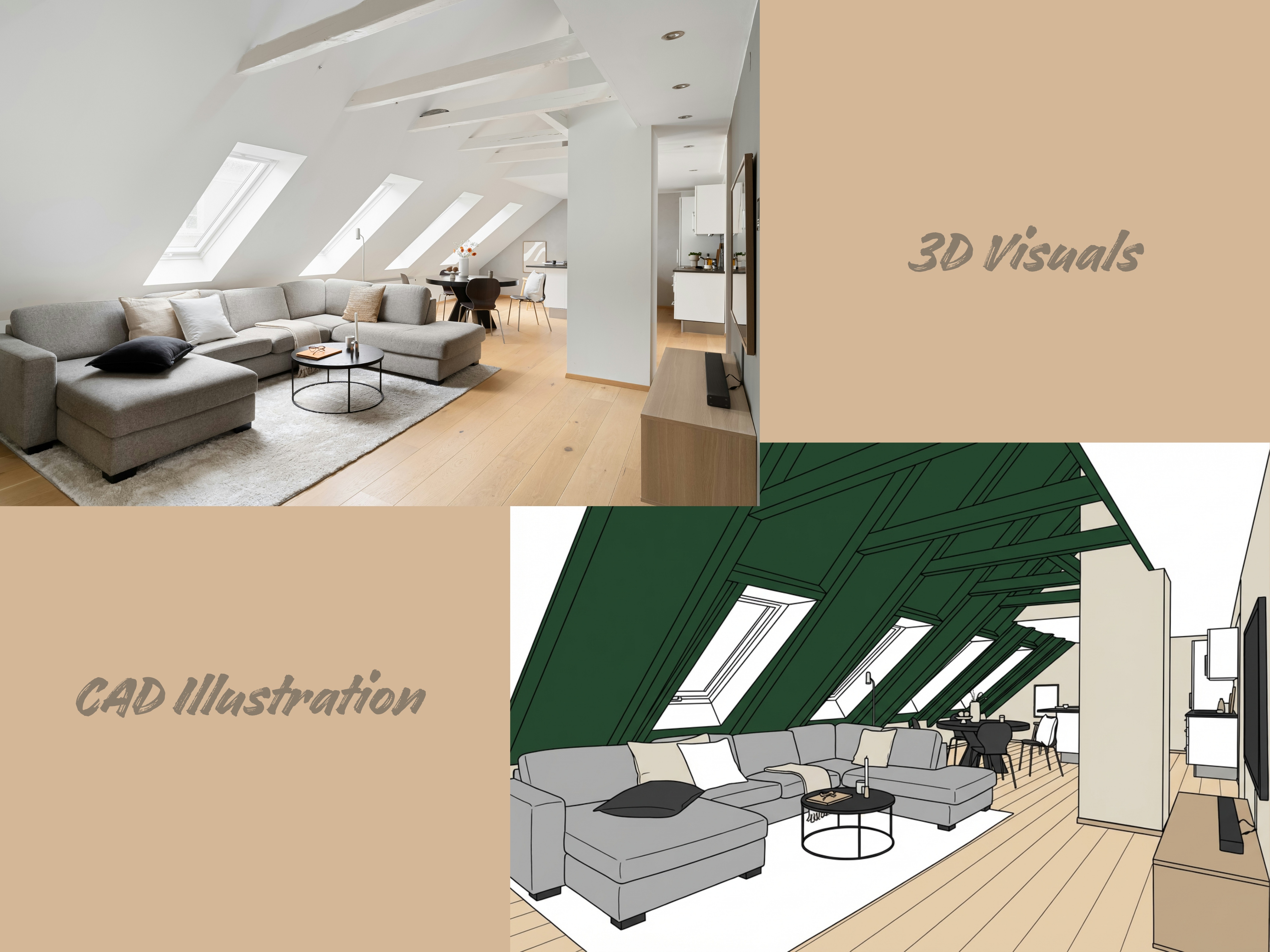
With Nano Banana Pro, CAD-based 2D illustrations can be enhanced, interpreted, or transformed into richer visual outputs. Try the following prompt.
Architecture Prompt for CAD 2D Illustrations: Render a High-Contrast Elevation Drawing from the source image in a clean CAD style. Use distinct block colors to fill major exterior and interior surface areas (e.g., a light beige for the walls, deep forest green for the roof, and a pale wood tone for the visible floor). All interior furniture and fixtures must be meticulously drawn using sharp, consistent black linework. The overall rendering should maintain the appearance of a structurally accurate section/elevation, presented on a stark white canvas with no shadow or gradient. Style: Technical illustration, solid block rendering, design presentation.
Material and Style Change
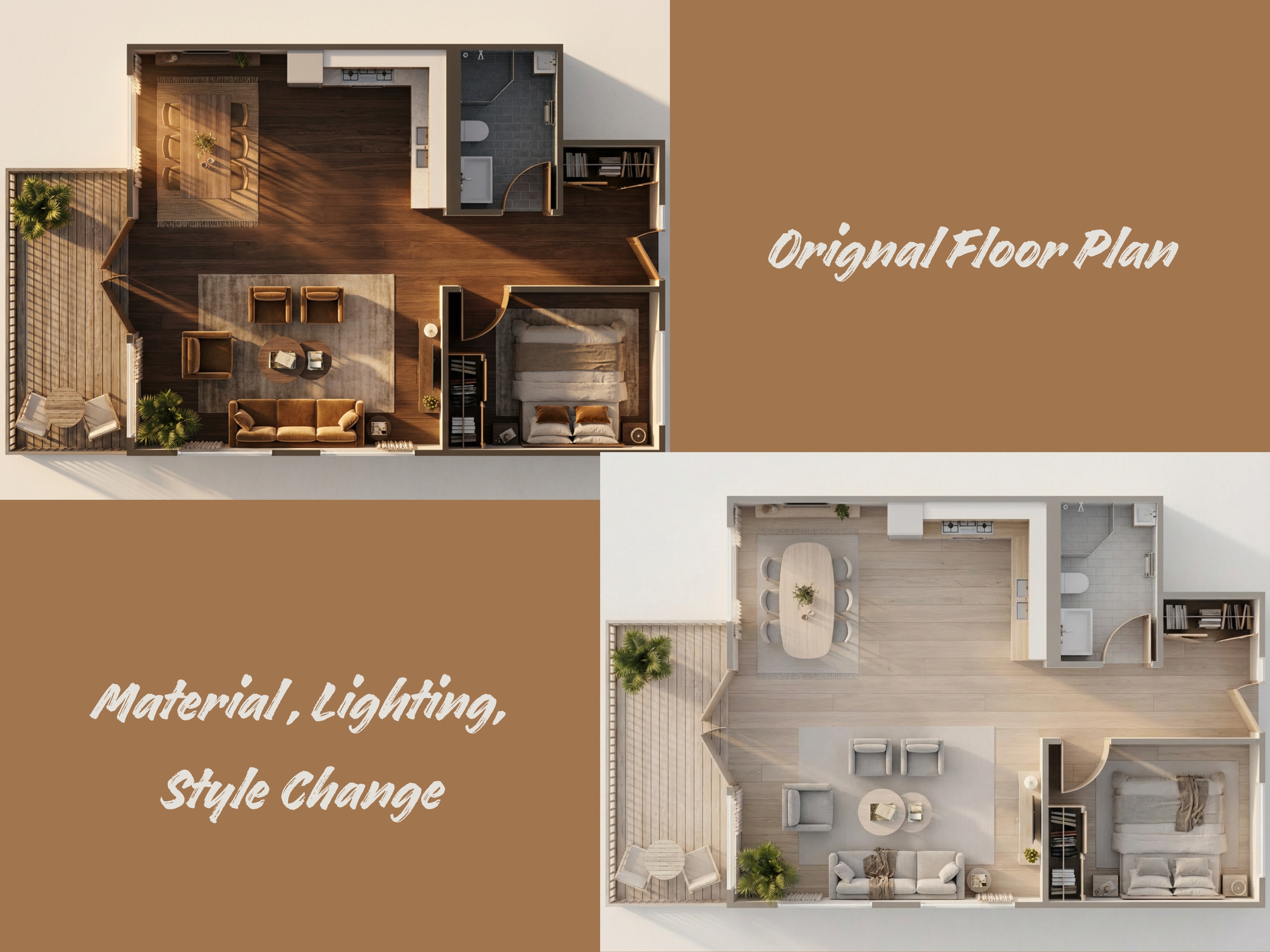
Nano Banana Pro can efficiently help every interior designer to change the material, style, and lighting of the room design.
Architecture Prompt for Material and Style Change: Transform this 3D floor plan into a Scandinavian Minimalist style. Change the flooring to light bleached oak wide-planks and the walls to matte warm white. Furniture should be organic, rounded, and upholstered in light grey linen. Lighting must be soft, diffused, bright daylight (overcast sky) creating an ambient, shadow-free environment. The overall aesthetic is clean, airy, and hygge.
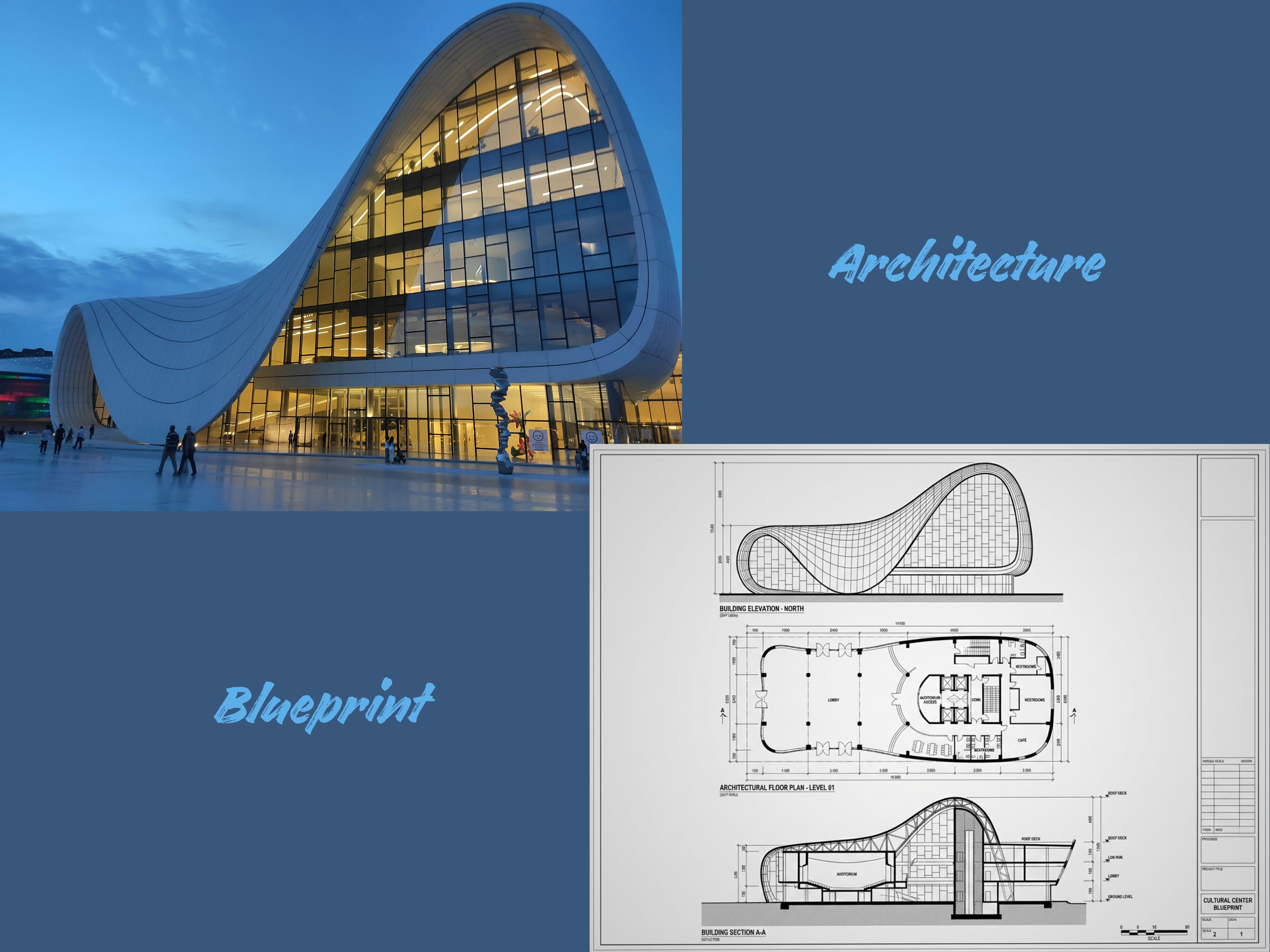
Architecture to Blueprint
Nano Banana Pro can help transform fully visualized architecture concepts into clean, structured blueprint-style drawings. Whether you start with a 3D render, a hand-drawn sketch, or a conceptual massing image, the model can reinterpret the design as a technical-looking 2D blueprint.
Architecture Prompt for Architecture to Blueprint: Generate a High-Fidelity Orthographic Blueprint set that describes the provided building. The set must include three distinct drawings: Architectural Floor Plan, Building Section, and Building Elevation. Use strict, professional CAD linework with variable line weights: thick lines for cut elements (walls/ground) and thin lines for projected elements (doors/furniture). Label all major spaces and dimensions.
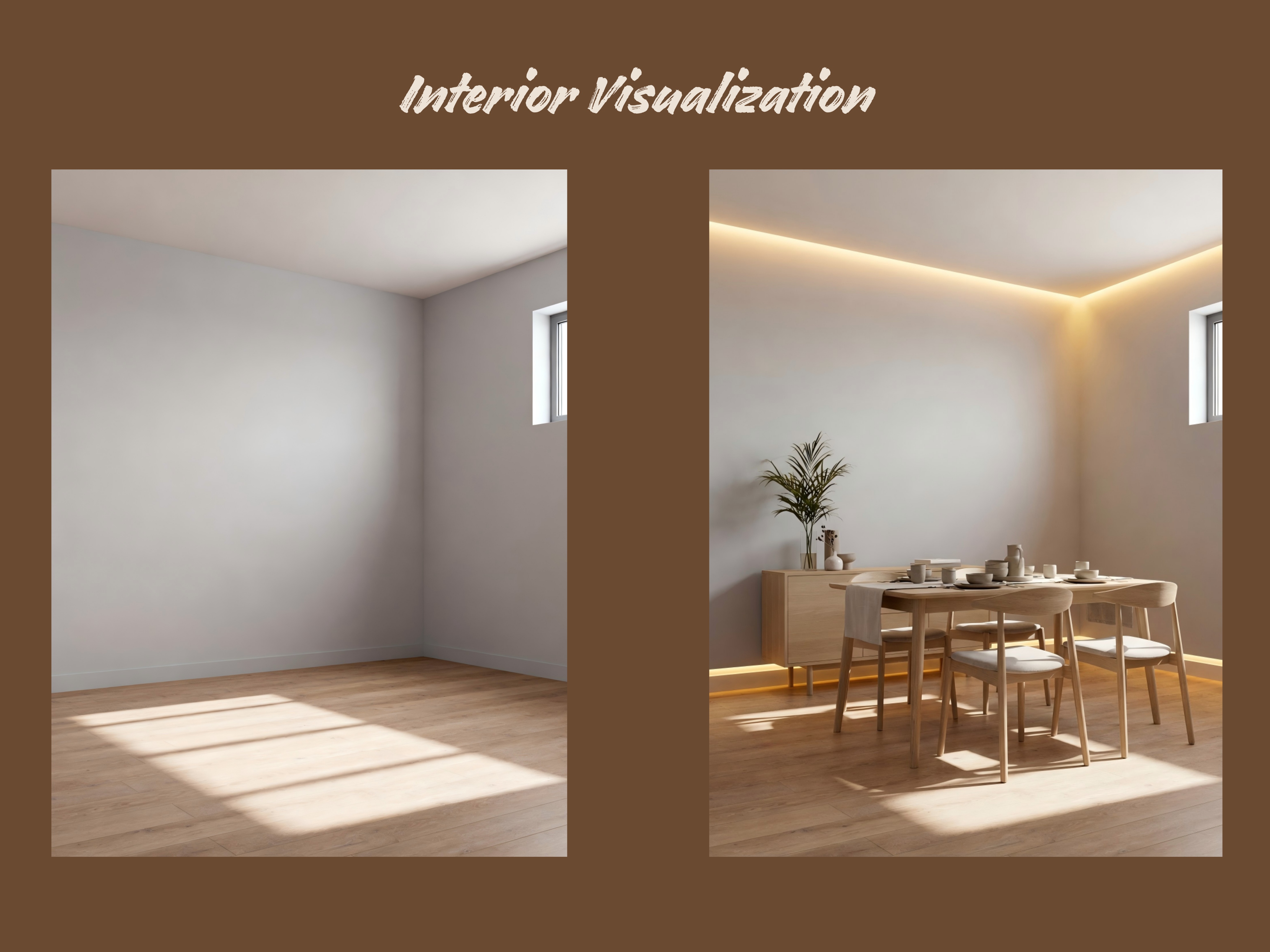
Interior Visualization
Architecture Prompt for Interior Visualization: Enhance the indoor photo: add warm embedded lights, Nordic style chairs and dining tables with other furniture, change the floor to light oak.
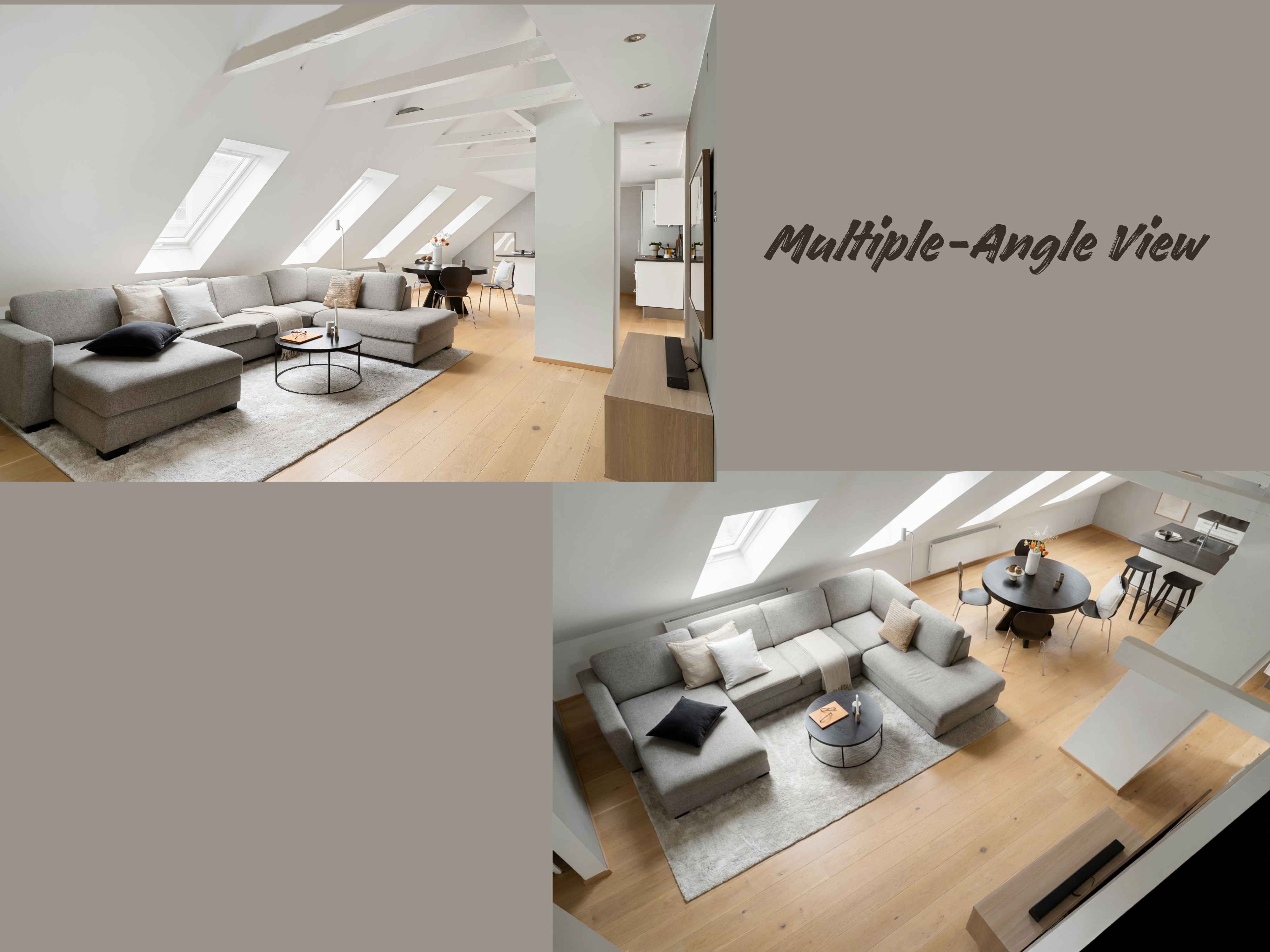
Multi-Angle Views
With Nano Banana Pro, you can create different design into multi-angle views. Try the following prompt for top renderings.
Sample AI Prompt for Nano Banana Pro: Generate top renderings for the model to ensure that indoor lighting is consistent with furniture finishes, making it easier for customers to use the presentation board.
Fun Nano Banana Pro Prompts for Architecture
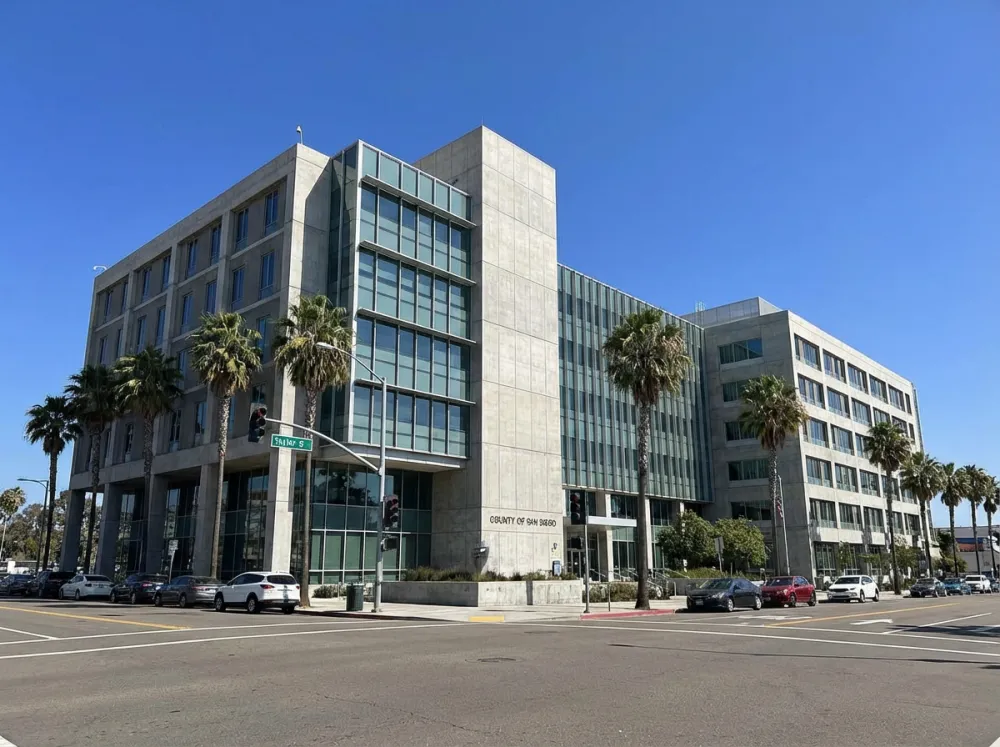
Location-based Generation
AI Prompt: Generate a realistic building photo from this place. The coordinates: 32.7479°N, 117.1647°W.
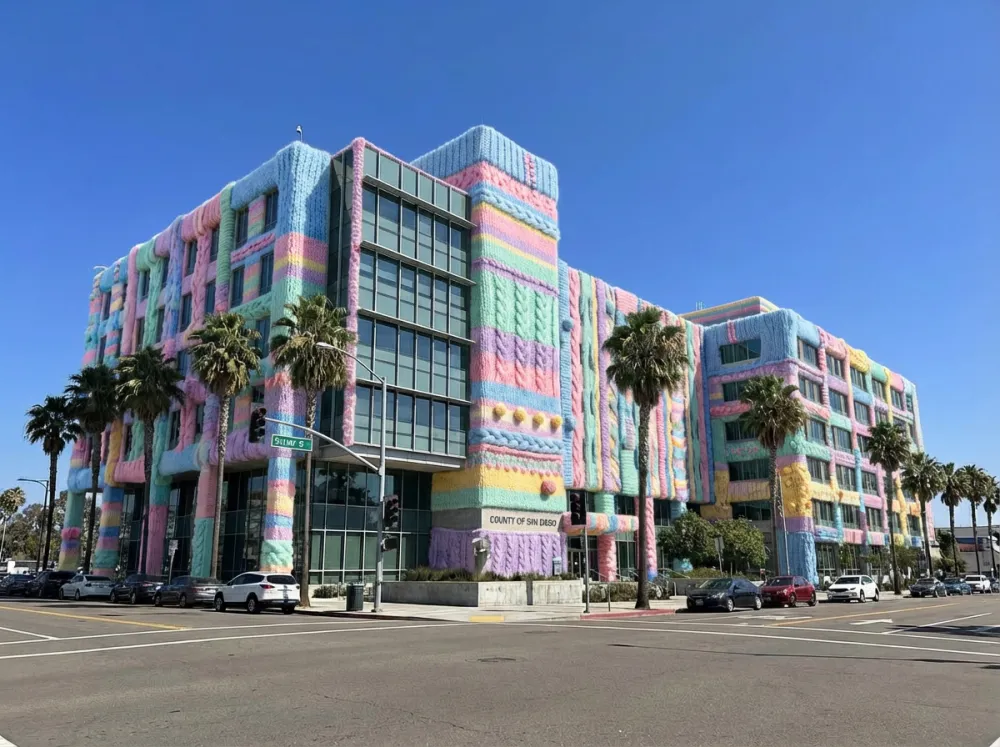
Architecture in Winter
AI Prompt: Keep the architectural structure of the scene unchanged. From top to bottom, the main building is wrapped in fluffy knitwear, appearing extremely adorable. The sweater closely fits the facade structure of the building, featuring vibrant pastel colors, realistic yarn textures, high detail, and rich tactile details.
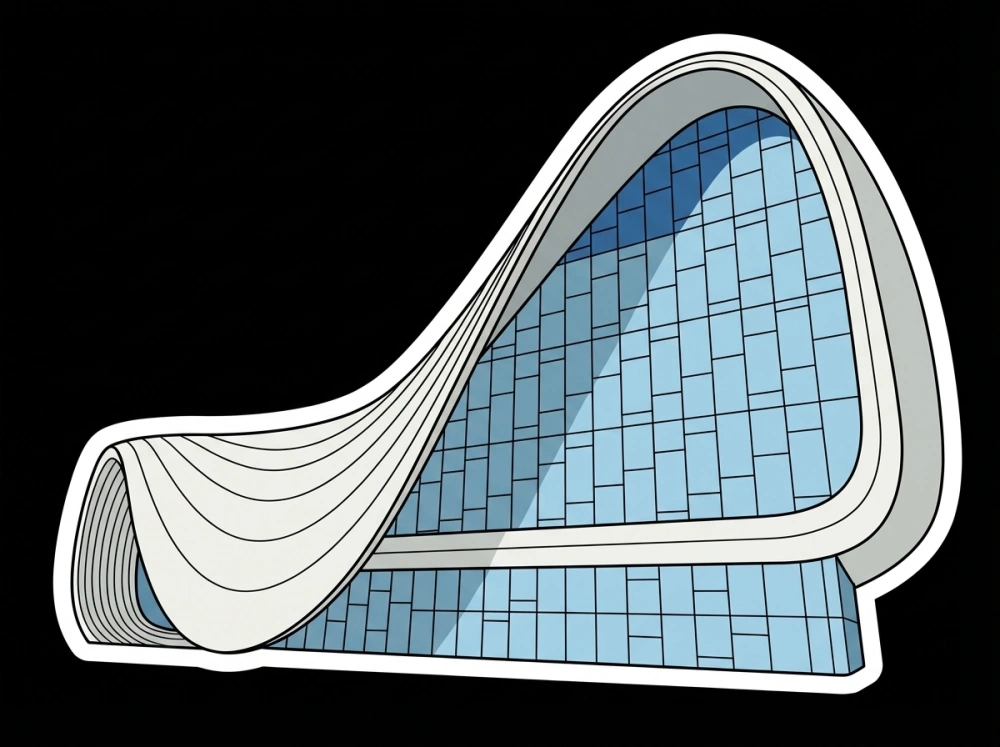
Architecture AI Sticker
AI Prompt: Transform the architecture to vector sticker, cartoon style, simple lines, flat color, The building as background, black outline, four sides white border, no shadow and background, die-cut sticker design, isolated in pure black background, wide Angle lens, super realistic style. The style is prudence heward, petros afshar, traditional animation.
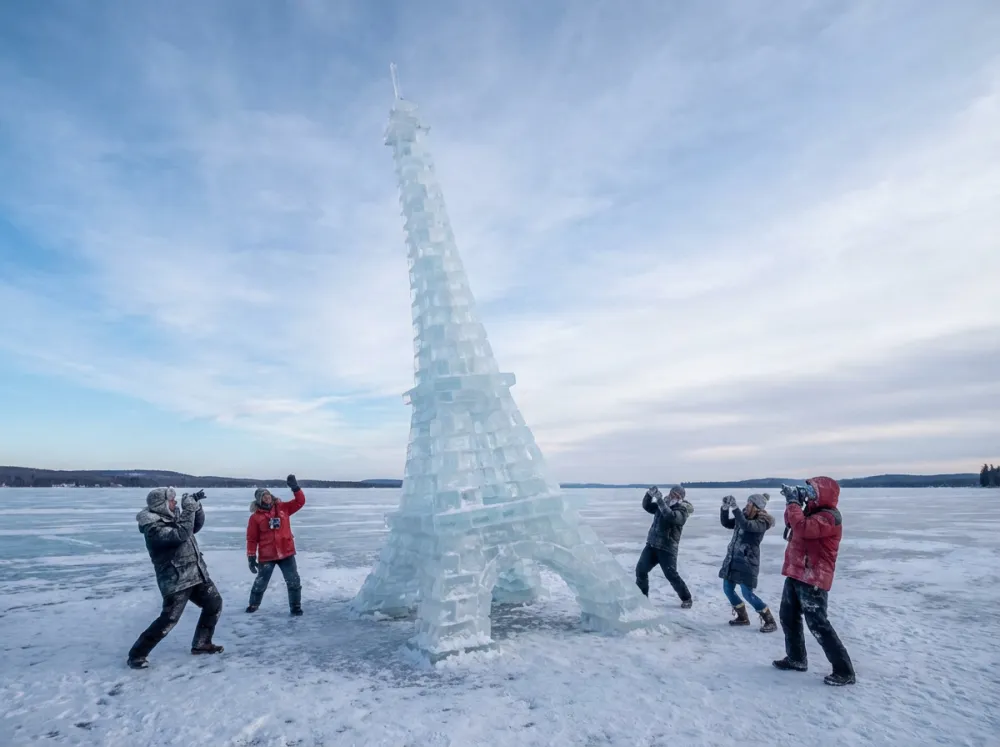
Ice Architecture
AI Prompt: On the frozen surface of lake, the Effiel Tower is crafted from layers of ice bricks, each block carefully positioned to replicate its famous tilt. The texture of the stacked bricks adds a playful and realistic dimension, radiating whimsy and charm. Around the tower, frozen tourists with icy cameras complete the scene with humor and authenticity. 4:3 ratio.
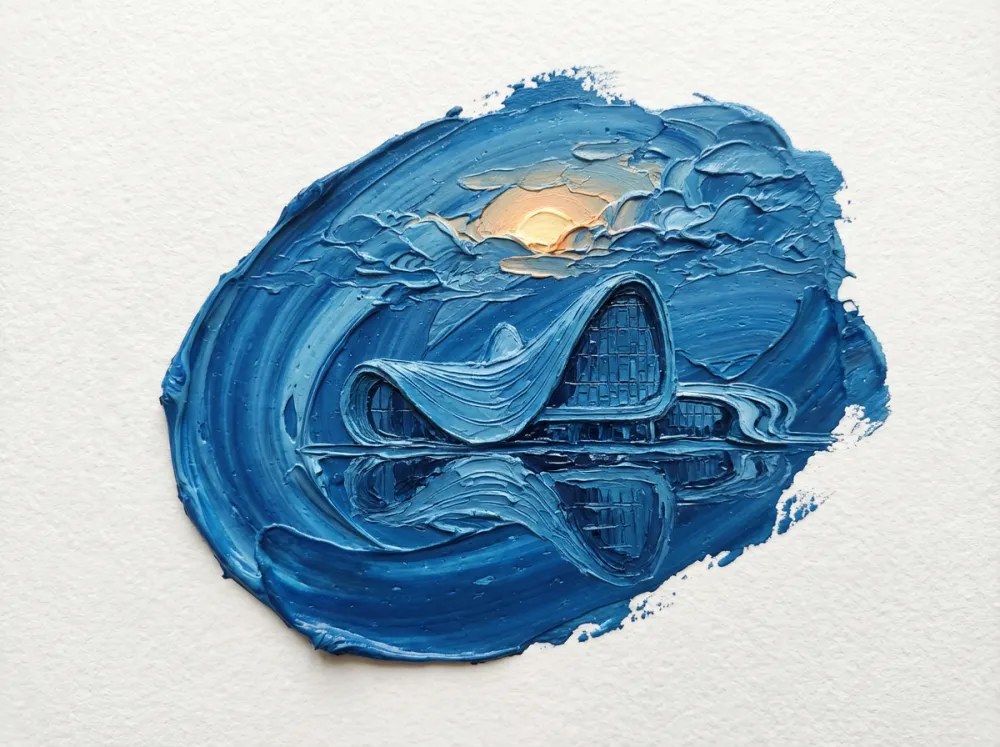
Oil Painting Architecture
AI Prompt: Oil painting style, 3D micro-landscape, employing an impasto technique to create dimensionality and depth through variations in paint thickness. The composition is centrally tilted, with a focal stroke of blue at the visual center. The blue area depicts the reference architecture, its reflection in water, clouds behind the structure, and the sun rising through the cloud layer. The scene is rendered from a minimalist top-down perspective, featuring extensive negative space on a white textured paper background.
Practical Tips For Architects and Designers
1. Start With Clean Reference Image: Plan PDFs, material swatches at correct scale, and initial renders improve fidelity.
2. Be Explicit in Prompts: Include camera height, intended use, desired mood, and resolution.
3. Give Nano Banana Pro Correct Information: Nano Banana Pro is not as smart as you think, and you need to give it the correct information for the accurate architecture diagram or blueprint.
Conclusion
Nano Banana Pro has the power to generate architectural visuals in a wide range of styles. And its versatility goes far beyond professional workflows. While architects and designers can use it for concept development and visualization, anyone can enjoy exploring creative ideas and imaginative buildings with ease.
If you're looking for fun, fast, and highly creative architecture prompts, iMini AI offers one-click architecture generation powered by Nano Banana Pro. It's a perfect way for both professionals and casual users to experiment, play, and bring architectural concepts to life in seconds.