


How to Turn 2D Image into 3D Online? [AI 3D Conversion Guide 2026]
![How to Turn 2D Image into 3D Online? [AI 3D Conversion Guide 2026]](https://file.iminicdn.com/public/2025/11/26/1993642122795945984_2_cover.png!w1600_webp)
Converting 2D images to 3D models used to be a complex process reserved for professional designer with specific skills. But thanks to the rise of powerful AI tools, transforming a flat 2D image into a lifelike 3D model is now fast, easy, and accessible to everyone - even beginners.
With modern AI models like Nano Banana and Hunyuan 2.5 integrated into iMini, you can effortlessly turn your photos or illustrations into stunning 3D creations online. This guide will walk you through 2D-to-3D AI generation using Nano Banana and Hunyuan 2.5.
What is AI Image to 3D Conversion?
2D image to 3D model is the process of transforming a flat, two-dimensional image into a realistic, textured 3D model. Instead of manually building shapes and textures in traditional 3D software, AI image to 3D conversion uses artificial intelligence to analyze depth, structure, and texture. This AI-powered process not only deliver highly detailed and realistic results but also dramatically boosts efficiency by saving time of manual modeling.
How to Convert 2D Image to 3D Model Online?
Now that you have already known what AI image to 3D conversion is, you might be wondering - how can you actually turn a 2D image into a 3D model online? Which AI tools deliver the best result for realistic 3D generation? Keeping reading on to explore the step-by-step process and AI tools to help you create 3D models yourself.
Popular iMini&Nano Banana 3D Figurine
Nano Banana (aka Gemini 2.5 Flash Image) is popular for its function of AI 3D conversion. It allows you to input text prompt, single photo, multiple images, or a natural-language prompt plus reference images, and generate hyper-realistic “3D figurine” that look like a photographed 3D toy.
Nano Banana can keep character or scene consistency, refine the details of the 3D figurine, and allow for a fast generation.
Note: Nano Banana only produces 3D images - not native OBJ/GLB meshes, but you can use other tools to convert the result into 3D assets.
Use Nano Banana on iMini AI
-
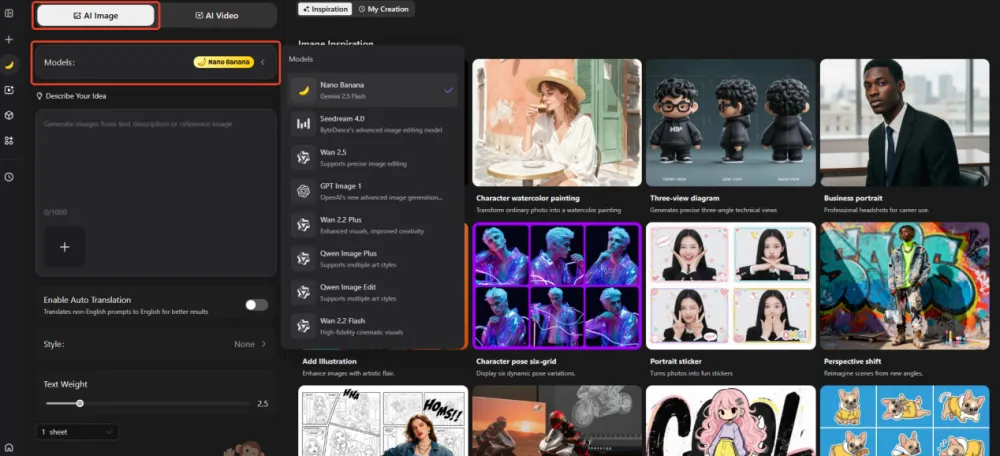
Navigate to the “AI Image” section and select the “Nano Banana” model.
iMini offers a wide range of advanced AI image model, so if you prefer other alternatives like Wan 2.5 or GPT Image, you can easily switch between them to match your desired output style.
iMini offers a diverse collection of advanced AI image models — so if you prefer alternatives like Wan 2.5 or GPT Image, you can easily switch between them to match your creative needs and desired output style.
-
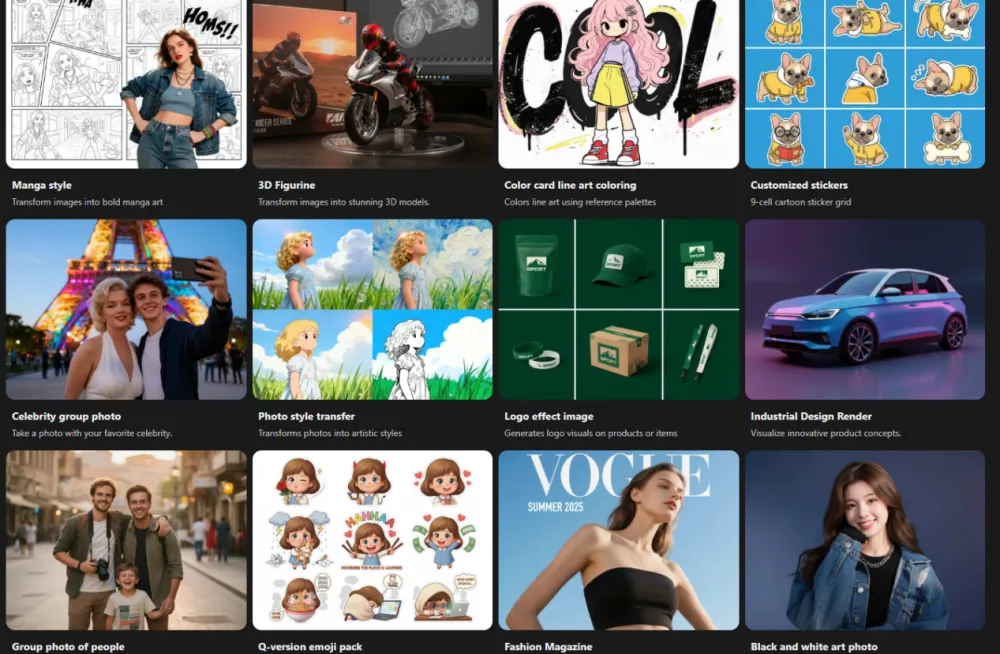
Select a preset prompt or enter your own custom prompt to generate 3D figurine.
iMini offers thousands of preset prompts across various artistic styles - simply choose the “3D Figurine Template” for quick results. For more control and creativity, you can also write your own 2D-to-3D prompt to achieve the most personalized outcome.
-
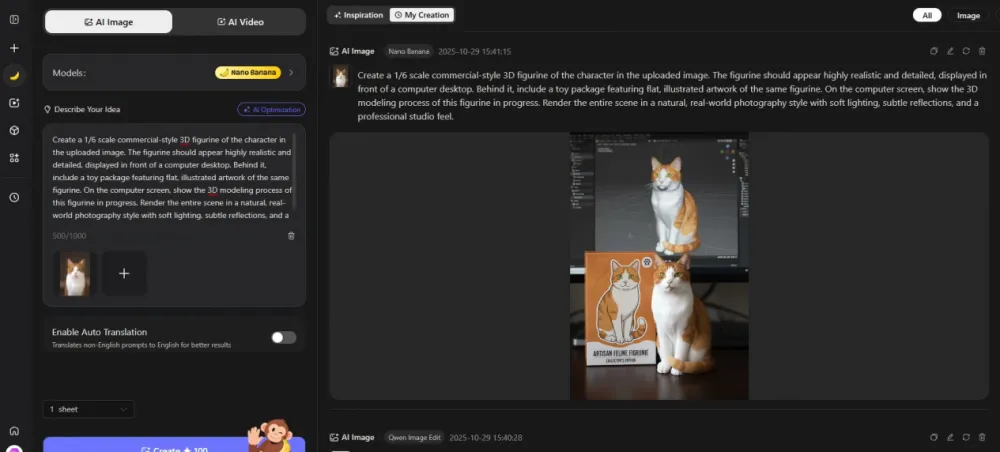
Upload your reference images and enter your prompt to guide the AI.
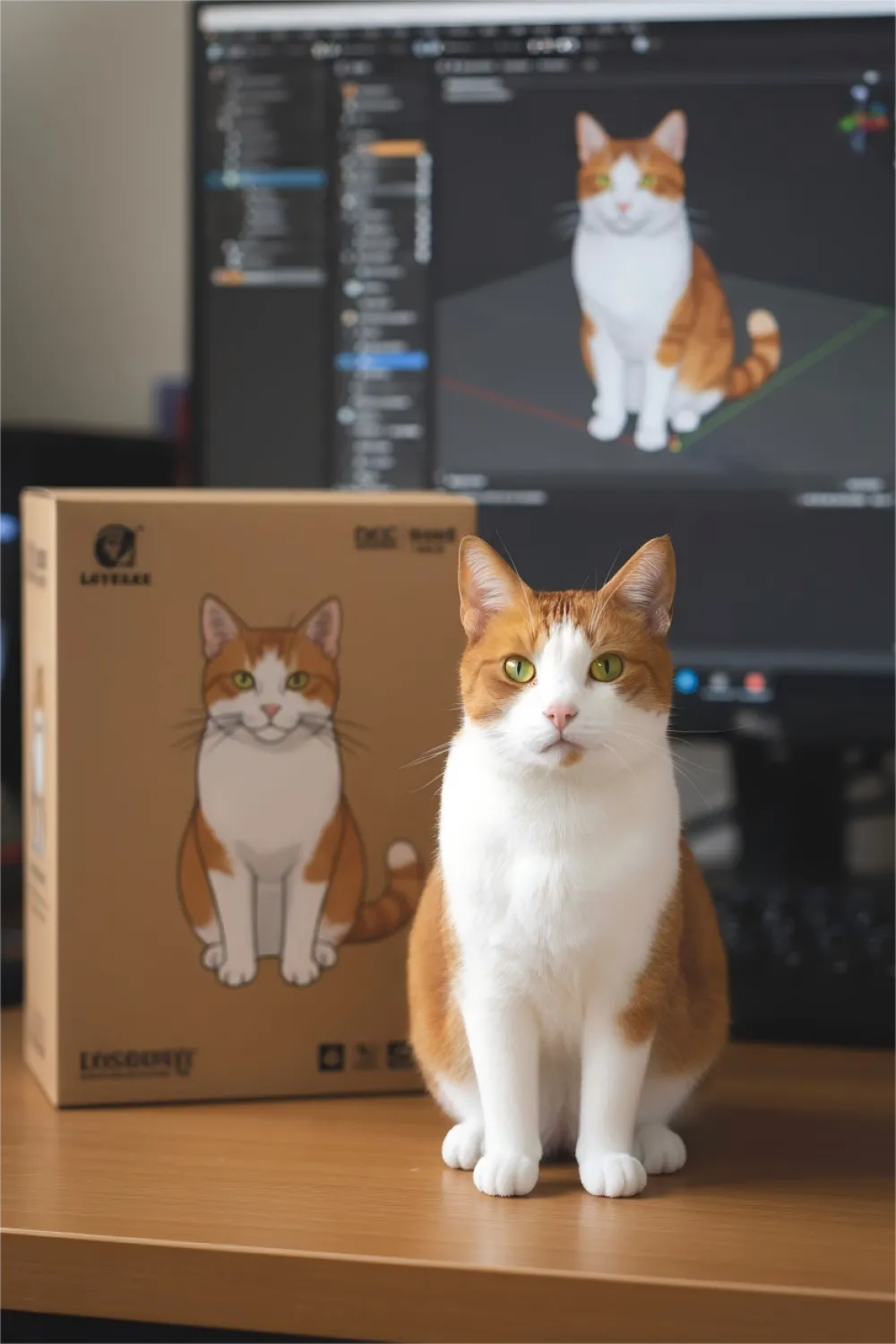
3D Image AI Prompt Recommended: Create a 1/6 scale commercial-style 3D figurine of the character in the uploaded image. The figurine should appear highly realistic and detailed, displayed in front of a computer desktop. Behind it, include a toy package featuring flat, illustrated artwork of the same figurine. On the computer screen, show the 3D modeling process of this figurine in progress. Render the entire scene in a natural, real-world photography style with soft lighting, subtle reflections, and a professional studio feel.
-
Initiate the conversion process.
Once your image is uploaded, and the prompt is entered, click on the "Create" button. Wait for the AI to process your image and generate a 3D figurine image in minutes.
-
Refine the 3D Model generation.
If you are not satisfied with the generated 3D figurine, simply adjust your prompt - modify details like pose, background, or lighting and regenerate.
Popular iMini&Hunyuan 2.5 3D Model
Hunyuan 2.5 3D is Tencent’s 3D&2.5D AI model, capable of transforming text or images into high-quality 3D assets. It produces realistic 3D assets with detailed PBR (Physically Based Rendering) textures. The model also supports multi-view image input, allowing for more accurate structure and depth. Hunyuan 2.5 3D creates 3D assets with better texture quality using PBR maps. It also supports multi-view image for more complete 3D model. Hunyuan 2.5 3D offers fast generation—often completing full 3D models in under 7 minutes.
You can easily create 3D models of characters, animals, vehicles, furniture, and human figures with Hunyuan 2.5 3D, making it a powerful tools for 3D artists, designers, and 3D printing enthusiasts seeking efficiency and realism.
Use Hunyuan 2.5 3D on iMini
-
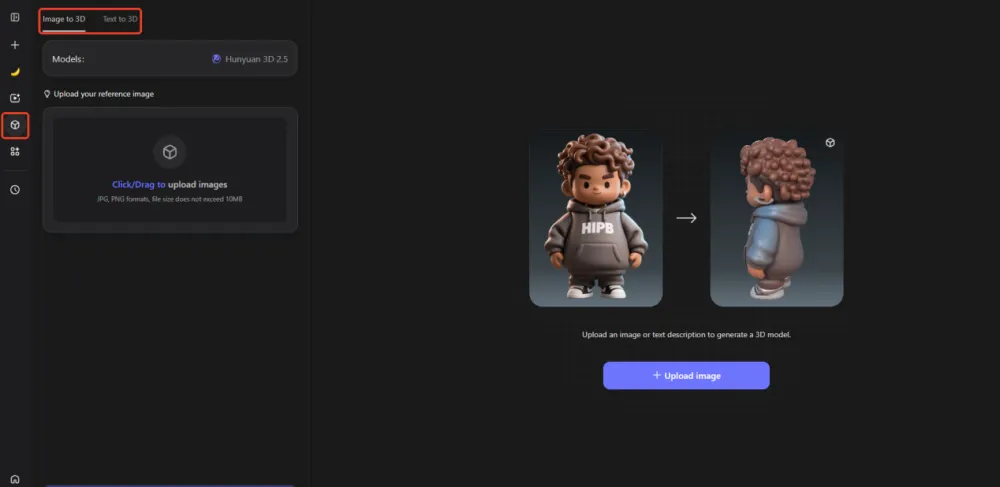
Go to the “3D Models” Section. Hunyuan 3D 2.5 provides two modes: Image-to-3D and Text-to-3D. Choose your preferred option based on your workflow. Upload a reference image for accurate 3D model, or use a text prompt to generate a 3D model from your imagination.
-
After typing your text prompt or uploading image, wait for the AI to process your request. Each model typically takes 1-7 minutes to generate, depending on complexity and detail level.
-
Generate the final model and download. Once the model is complete, preview and download your 3D asset. You can choose from multiple export format based on your use case. GLB is recommended for Blender and Unity, FBX is ideal for rigging, animation, and game development, and OBJ/STL is best for 3D printing or CAD design.
Nano Banana with Hunyuan 3D
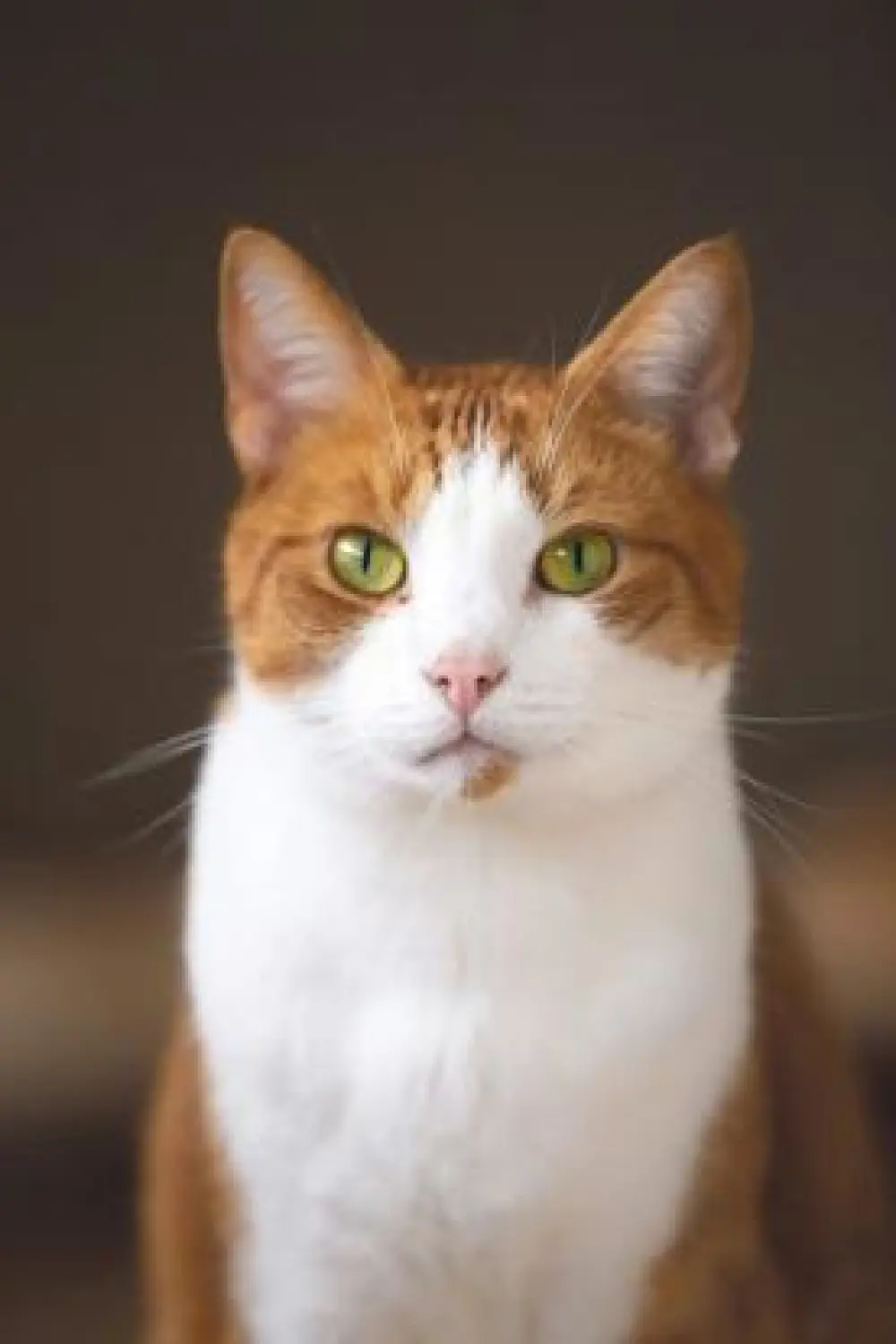
If you use the Hunyuan 3D image-to-3D model, ensure your image meets specific quality requirement for the best results. The uploaded image must be under 10MB and should feature a clear, well defined subject with minimal background distractions. Avoid images containing text, or overly complex background. Make sure the main subject occupies a large portion of the frame to help AI accurately generate a detailed 3D model.
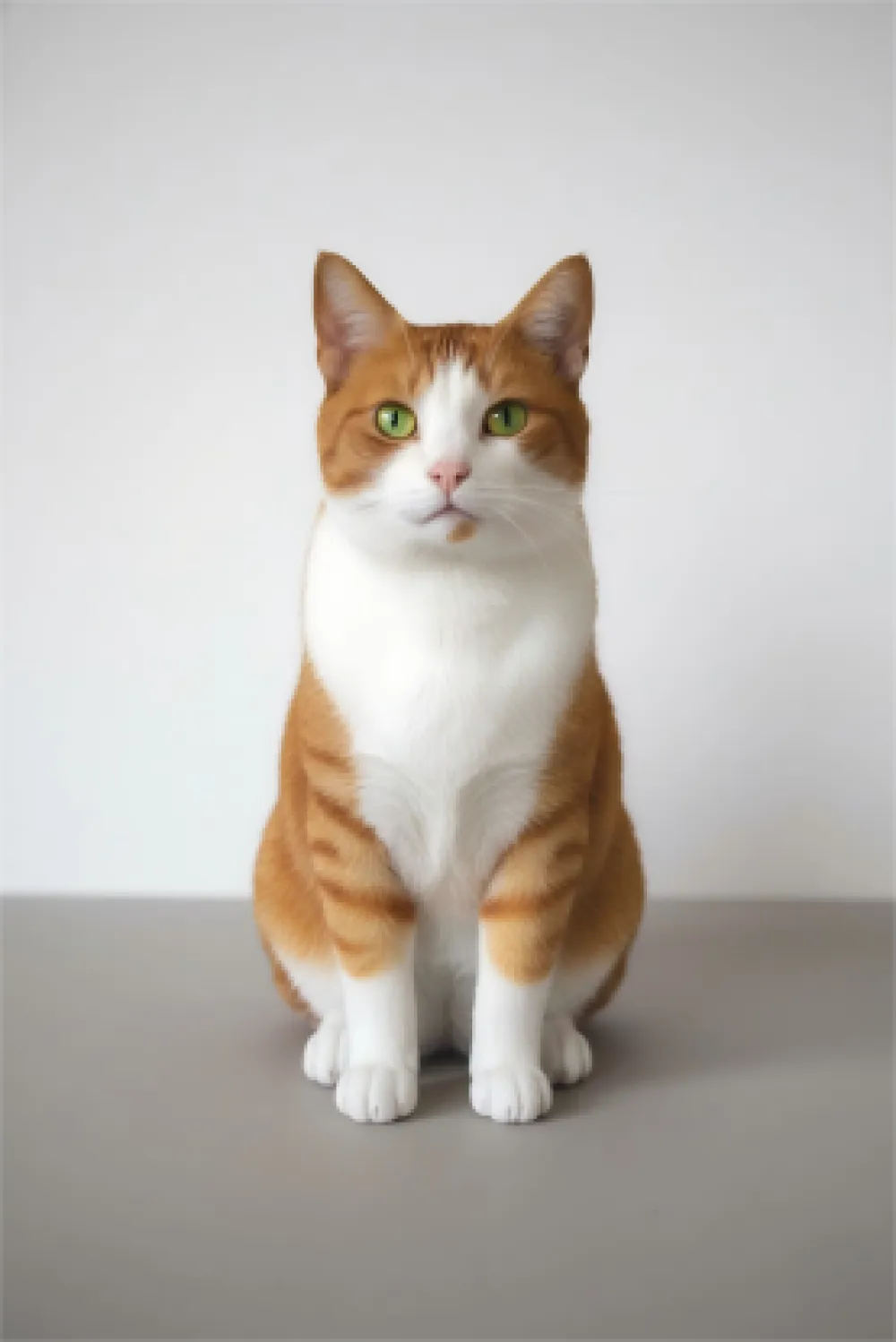
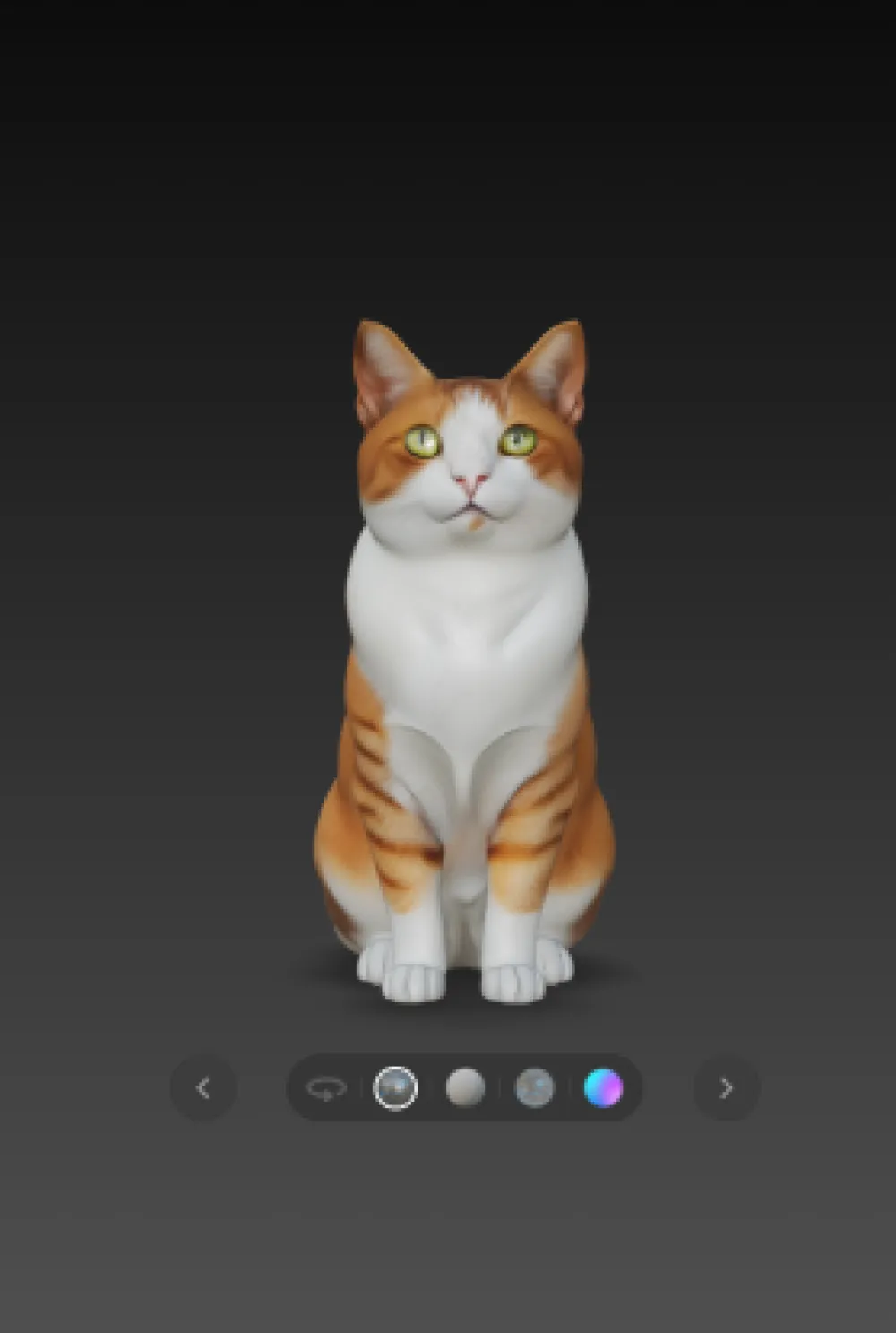
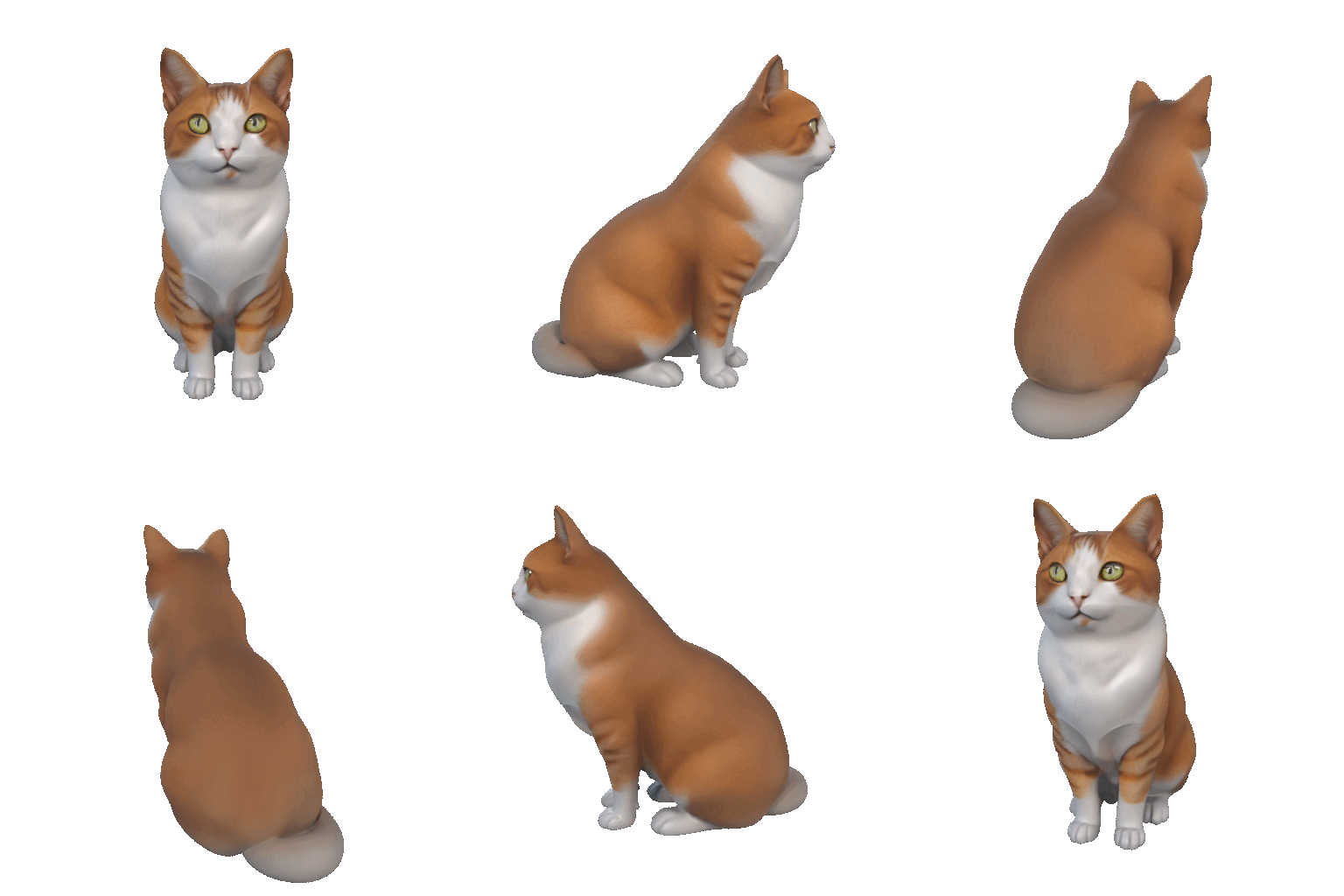
iMini offers a streamlined and efficient workflow for precise 3D asset creation. Start by using Nano Banana to generate a high-quality 3D model image with a clean, single-color background. Then import that image into Hunyuan 3D to transform it into a fully textured, realistic 3D asset. This two-step process combines Nano Banana with Hunyuan to deliver a professional-grade 3D results with minimal effort.
Nano Banana AI Prompt: Generate a 1/6 scale, commercial-grade 3D figurine of the cat from the uploaded image. The model should be highly realistic, intricately detailed, and professionally sculpted, showcased against a clean, single-color background. No "chassis".
Tips for AI 3D Model Generation
Creating high-quality AI-generated 3D models requires more than just uploading the image or typing text prompts. Here are some tips to help you achieve the most accurate and visually stunning 3D models.
-
Use high-resolution images with a simple and uncluttered background. Avoid clutter or text to help the AI accurately capture what you want.
-
Write a detailed and descriptive prompt when using text-to-3D model. The more context you provide, the more accurate your 3D model will be.
-
Full-body framing of animals or human to help AI understand your needs. Partial images may result in distorted 3D models.
-
Use multiple image of objects from different figures or different images of the same object to identify which can create the most realistic and detailed 3D output.
-
Start with simple objects for the best results.
Applications of 2D-to-3D Conversion with AI
AI-powered 2D-to-3D conversion is transforming how creators, professional designers, or normal users interact with digital content. Whether you’re a game developer, product designer, educator, creators, or 3D printing enthusiasts, AI 3D generation tools make it easier than ever to turn static images into dynamic 3D assets. Here’s how AI 2D-to-3D conversion helps these people.
-
For Game Developers: Game developers used to spend hours modeling manually, and the AI 2D-to-3D character creation can help indie developers to generate 3D character more quickly with realistic textures and geometry.
-
For E-commerce Product Designers: Online retailers can use AI 3D conversion to create interactive 3D product reviews from static 2D photos. With 3D product displays, brands can provides customers with a more immersive and engaging shopping experience. 3D product viewing allow customers to gain a clear understanding of size, texture, and design before purchasing, which helps enhance customers’ shopping experience. A 3D product review can help gain higher engagement and conversion rate. Product designers can also save time to create 3D product multi-viewing.
-
For Educators and Students: AI-driven 3D modeling plays an important role in education and research. It can help teacher convert images or diagrams into 3D models, allowing students to be more immersive and engaging across design and art subjects.
-
For Artists and 3D creators: AI 2D-to-3D tools empower artists, designers, and 3D creator to bring concept art to life faster than ever, allowing creators to focus on style and storytelling.
-
For 3D Printing Enthusiasts: AI image-to-3D conversion makes it simple to create 3D models from 2D references. 3D hobbyists and professionals can generate accurate 3D meshes for figurine and prototypes without any advanced CAD knowledge and skills.